













Career
10 Best AI Resume Builder Tools in 2026 (Tested Guide)
Compare the best AI resume builder tools of 2026, with honest strengths, real limits, and which builder fits your job search.
Interview Pilot Editorial Team
Updated November 18, 2026
16 min read
Which AI resume builder is the best one? That question hides a bad assumption: that every builder solves the same problem. They don't, and the feature grids that dominate comparison posts won't tell you whether a tool fits a first-time applicant with no draft or a mid-career candidate sending twenty customized versions a month.
The behavior behind these tools is mainstream now. A Capterra survey of nearly 3,000 job seekers reported by HR Reporter found 58% were using AI tools in their current search, and resume work was the leading use case at 40%, ahead of finding relevant openings at 37%. People aren't experimenting with novelty. They're paying to revise and tailor documents faster.
So this guide groups ten tools by the problem you're solving rather than by feature count. ATS safety covers Jobscan and Rezi, pipeline management covers Teal and Huntr, visual design covers Enhancv and Canva, reviewing an existing draft covers Resume Worded, and fast guided starts cover Kickresume, Resume.io, and Novorésumé. Each entry names where the tool excels, where the output needs your hands on it, and what you give up.
1. Jobscan
Jobscan's AI resume builder fits the ATS-safety job: it scores how a resume reads to screening software, not how it looks on a design page. Automated filters are common enough that a polished layout will not rescue a file the parser cannot read. Jobscan starts from that constraint.
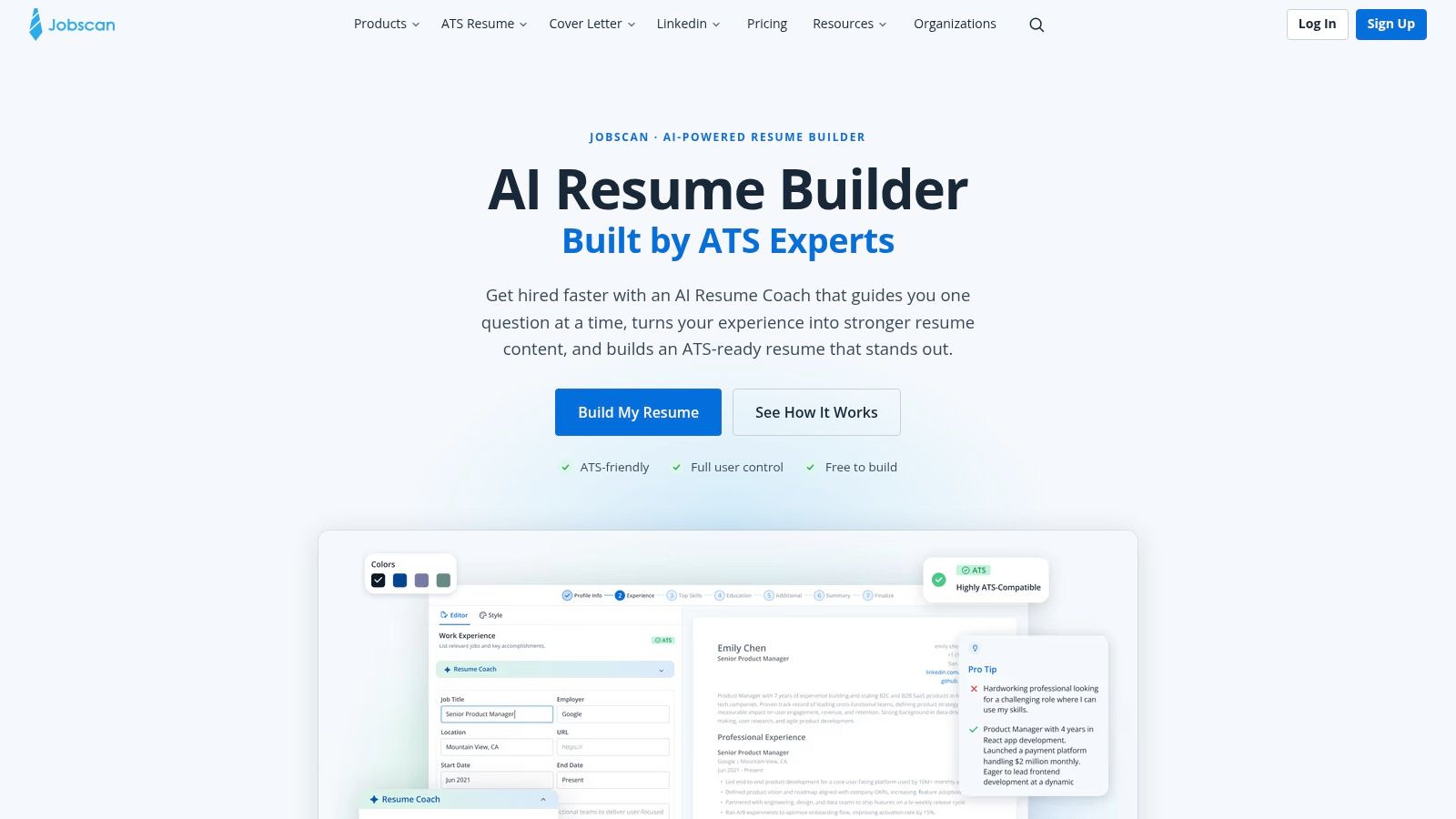
You move through the resume section by section with AI coaching. Start blank, or import a file or a LinkedIn profile. Paste a job post and the scan splits the match into hard skills, soft skills, and searchability, then offers fixes you can accept, rewrite, or ignore. Templates stay plain so the structure parses cleanly.
The free path covers the basics. You can create, edit, and download a PDF without a card, and suggestions stay editable rather than locked into the document. Stronger writing and optimization tools sit behind a trial or subscription. If you only need one clean file, that extra machinery is overhead.
The process for tailoring a resume to a job description matches how Jobscan scores a posting. A high match is still not proof. Keyword tools will name skills you have never used.
Practical rule: accept a suggestion only when you can point to the project, number, or outcome behind it.
2. Teal
Application volume changed the job. Applications per opening reached 244 in 2025, up from 116 in 2022, according to Greenhouse data cited in Canva's study on AI and visuals in the job hunt. At that ratio the spreadsheet becomes the bottleneck before the resume does. Teal treats both as one system, which is why it belongs in the tracking group rather than the design group.
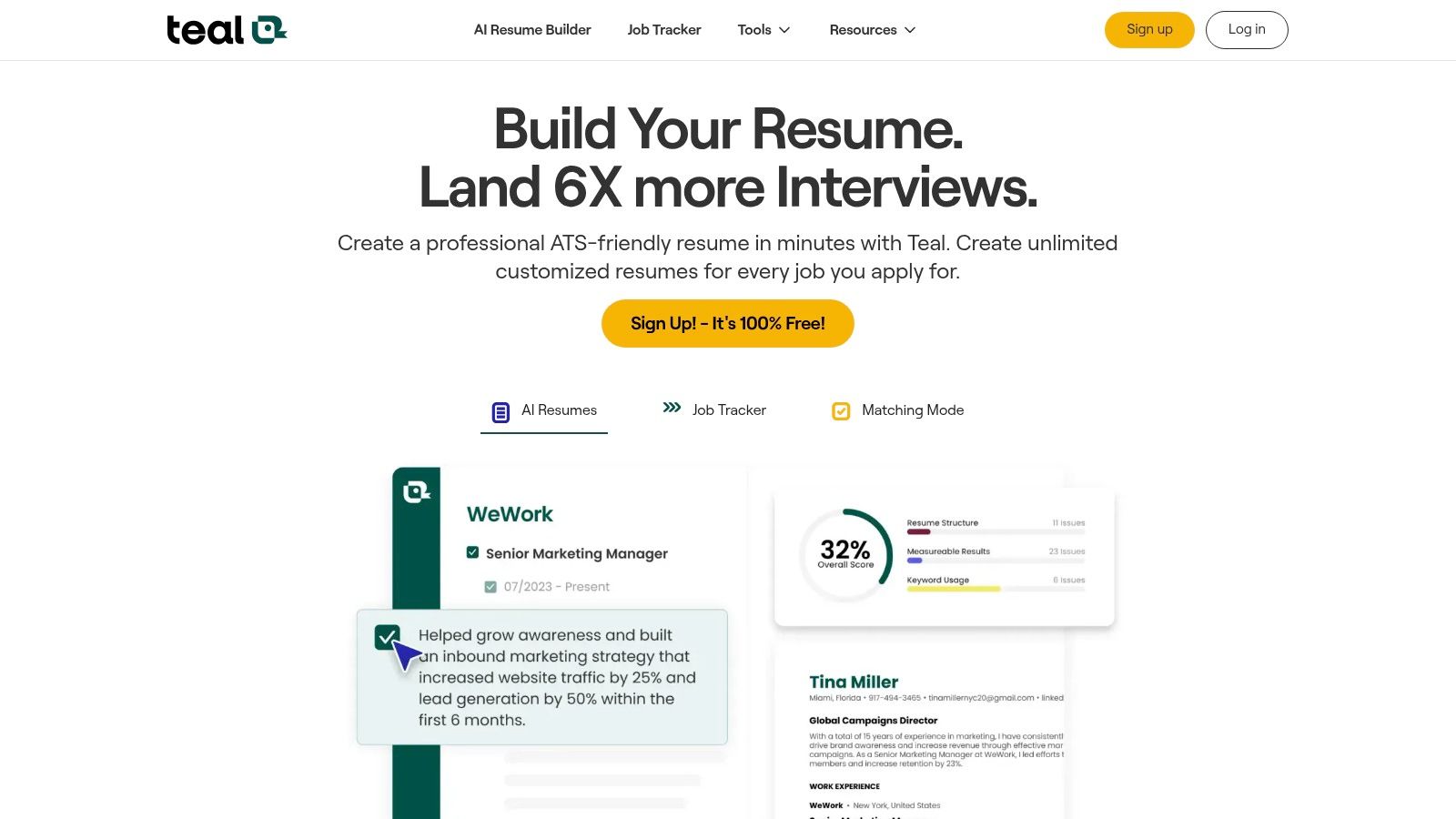
You save listings with a browser tool, log each application, and match your resume against a specific description before sending. Sections toggle on and off per job, so one base resume produces role-specific variants without retyping. AI writes bullets, summaries, and cover letters.
What the free tier actually covers
- Resume plus tracker: both stay available at no cost, which is unusual.
- AI credits: limited on free, generous only after upgrading.
- Keyword scores: useful as a gap check, weak as a writing guide.
The honest limitation is that a keyword match isn't a narrative. Teal will tell you the posting mentions stakeholder management four times and prompt you to mirror it, which is how resumes start sounding like job ads. If your search crosses roles and industries, pair the tracker with a broader set of AI tools for job seekers so the pipeline stays a system instead of another inbox.
3. Rezi
A machine often reads your resume before a person does. ZeaHire's recruitment statistics, drawn from a Resume Builder survey of 948 business leaders, report that 82% of companies using AI in hiring used it to review resumes. Rezi is designed for that first reader, with controlled layouts, keyword targeting, and a score that rewards specificity over flair.
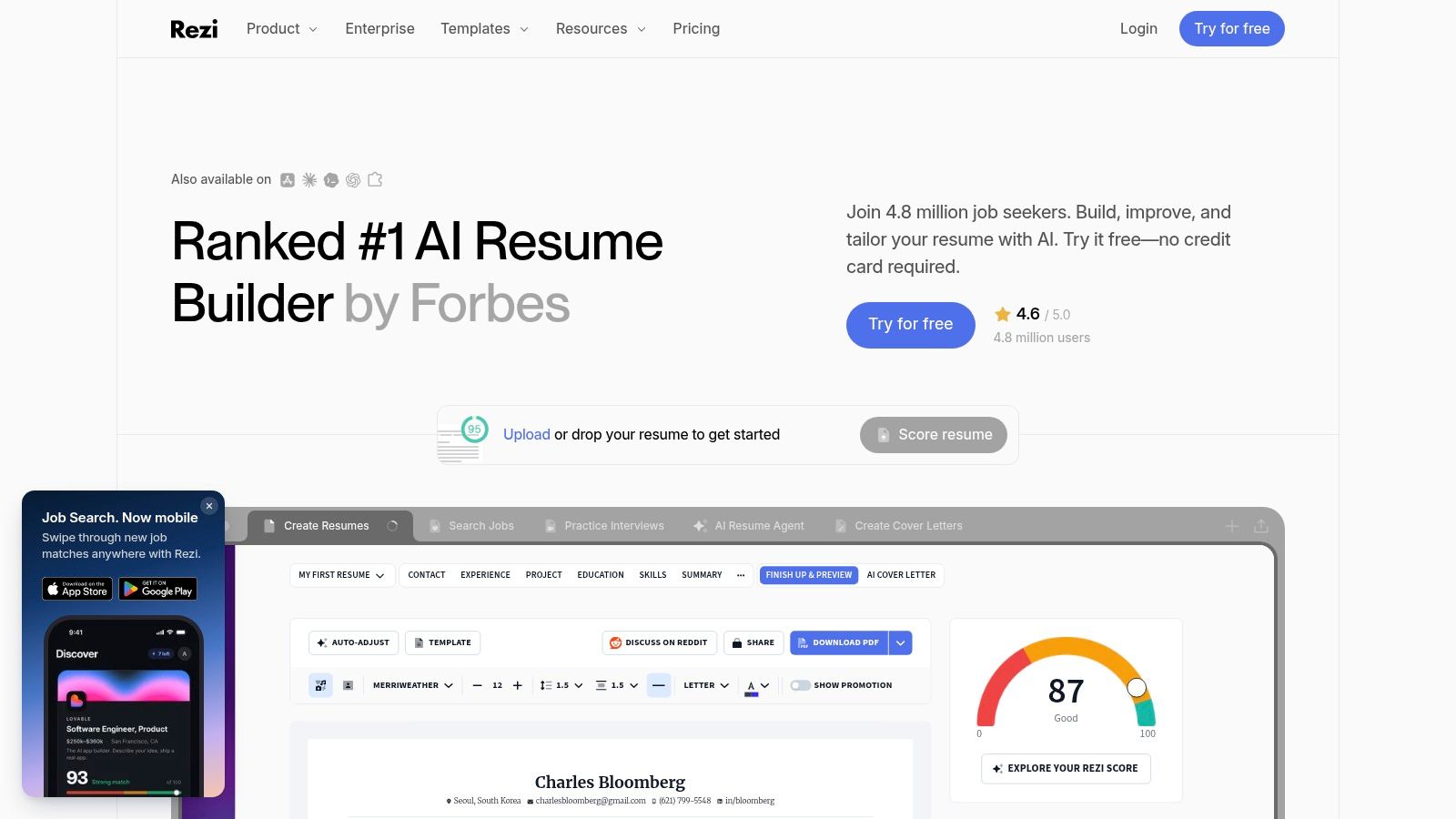
The editor writes and rewrites content, compares your draft against a job description, and flags thin sections. Layouts stay conservative by design, so columns and graphics won't break parsing. You can try the builder without a card, and a one-time lifetime option sits alongside the recurring plans.
What works
- Scoring by section: you see which part of the resume is thin, not just an overall grade.
- Keyword targeting: useful when you're switching industries and don't know the local vocabulary.
- No card to start: the free tier is limited but functional.
- Lifetime option: rare in this category and cheaper over several search cycles.
What doesn't
- Rigid templates: if presentation matters in your field, the layouts will frustrate you.
- Invented metrics: AI-generated achievements arrive confident and unverified. Every number needs a source in your own history.
Understanding what the parser extracts helps here, and this explanation of how applicant tracking systems work covers the mechanics without jargon.
4. Huntr
The case for an AI resume builder is usually speed, and the outcome data is thinner than the marketing implies. What exists is self-reported. In 2024, 51% of surveyed U.S. workers said AI had helped them receive more interviews and 50% said it helped them obtain more job offers, in LiveCareer's survey of 1,150 workers reported by The Global Recruiter. Read that as correlation, not proof. People who use AI tend to be applying hard.
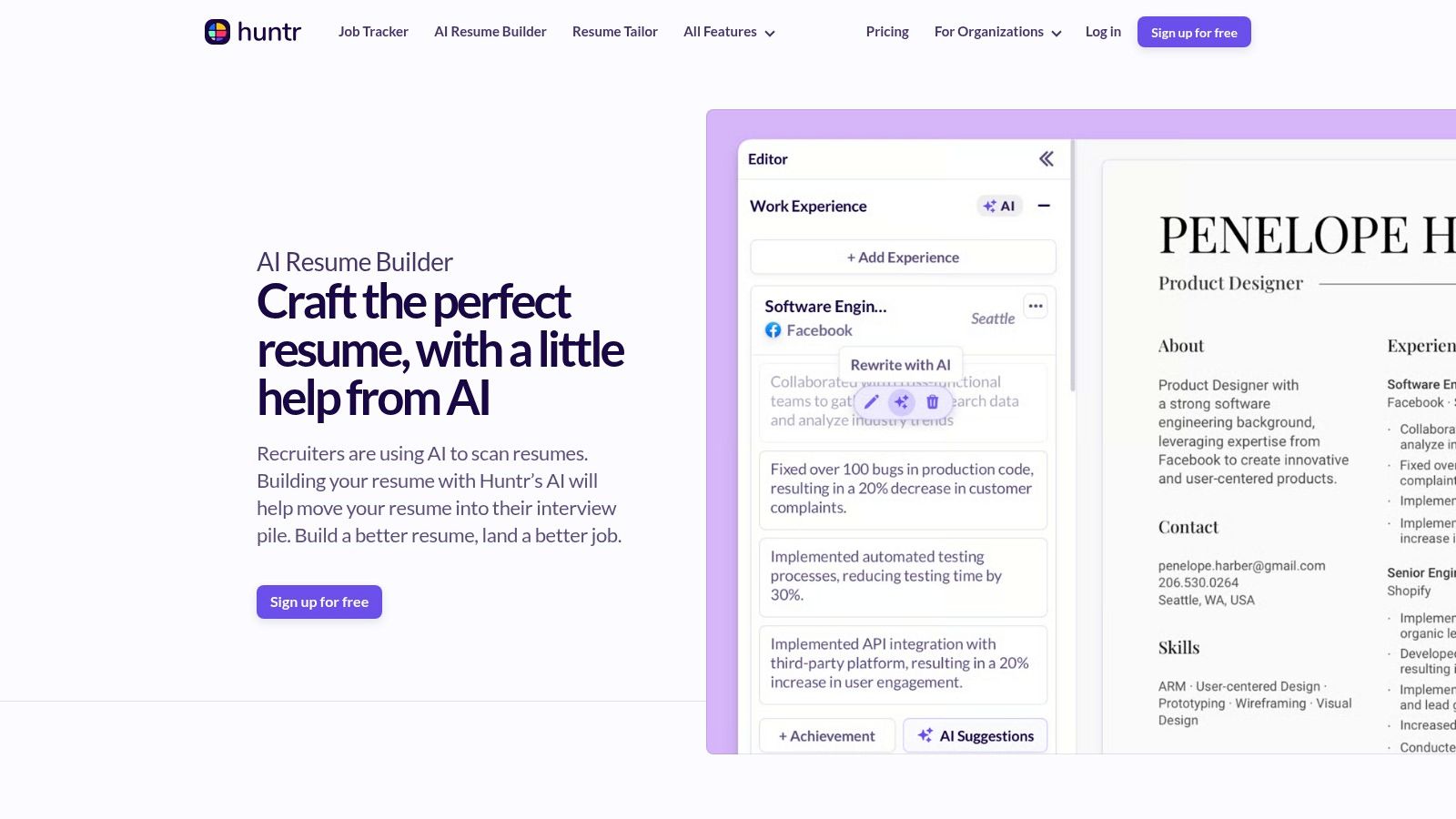
Huntr sits at the organizing end of the market. You keep a base resume, spin off versions for individual jobs, and track where each one went. A Chrome clipper saves postings, matching scores show how close a draft sits to a description, and application autofill plus contact management cover the follow-up work.
- Free PDF export: templates and downloads without paying.
- Versioning that holds up: the base-plus-variants model matches how applications work.
- Pro tier: unlimited AI generations and customized resumes.
- Price: Pro costs more than simpler builders, and I'd only pay it if you're applying at volume.
- Overkill: for one resume and three applications, you're buying a system you won't use.
The generated content still needs checking against what you did, particularly achievement bullets with numbers attached.
5. Enhancv
Pasting a job ad and your full work history into any tool is a data decision as much as a formatting one. Candidates know it. In a 2025 Greenhouse survey across the U.S., U.K., Ireland, and Germany, only 8% of candidates believed AI made hiring fairer, and 35% of U.S. job seekers said AI shifted bias from humans to algorithms. That's the backdrop for every tool that asks you to upload a document holding your address, employers, and dates.
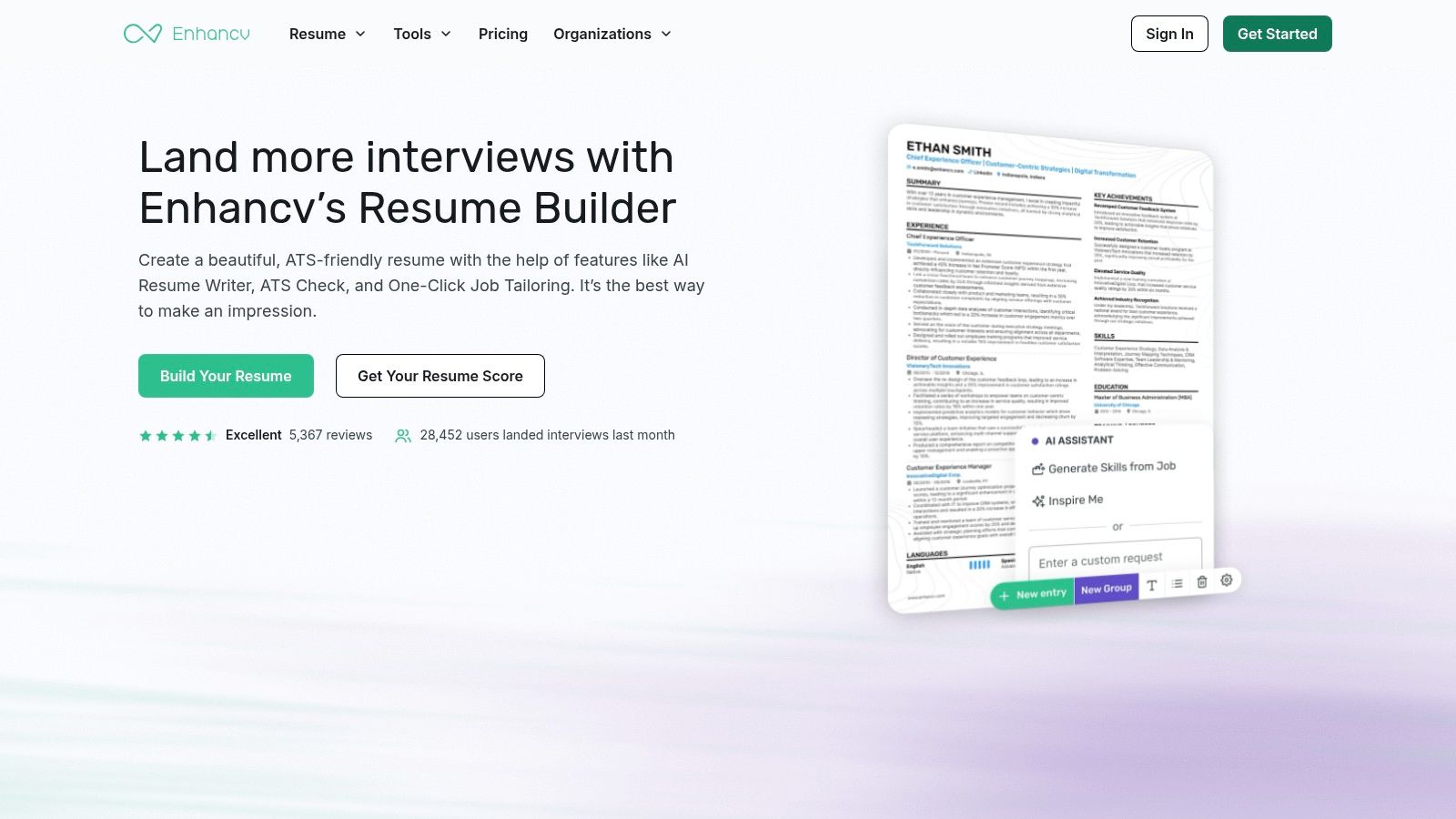
Enhancv is the most flexible editor in this group. It's a drag-and-drop canvas with AI rewriting, job-ad tailoring, ATS checks, and resume feedback. You refine content and appearance in the same view, which suits people who know what their resume should say and want control over how it looks.
The learning curve nobody mentions
A canvas rewards decisions. Start from a blank page with no design instinct and you'll spend an hour nudging margins.
- Customization: greater than any form-based builder here.
- Tailoring: job-ad matching with rewrite suggestions.
- Trial access: you can test before paying.
- Cost: higher than most alternatives on this list.
- Readability risk: heavy design choices can hurt human skimming and machine parsing at once.
Every tool on this list will rewrite a bullet into something confident and slightly false. You're the only check on that.
6. Kickresume
Building a resume with AI isn't an edge case anymore. In a 2023 survey across eight countries, 45% of job seekers had used generative AI to build, update, or improve a resume, ranging from 74% in India to 33% in France, according to a Stanford project analysis of the survey data. If you're starting from nothing, you're in the majority, and Kickresume is built for that exact starting point.
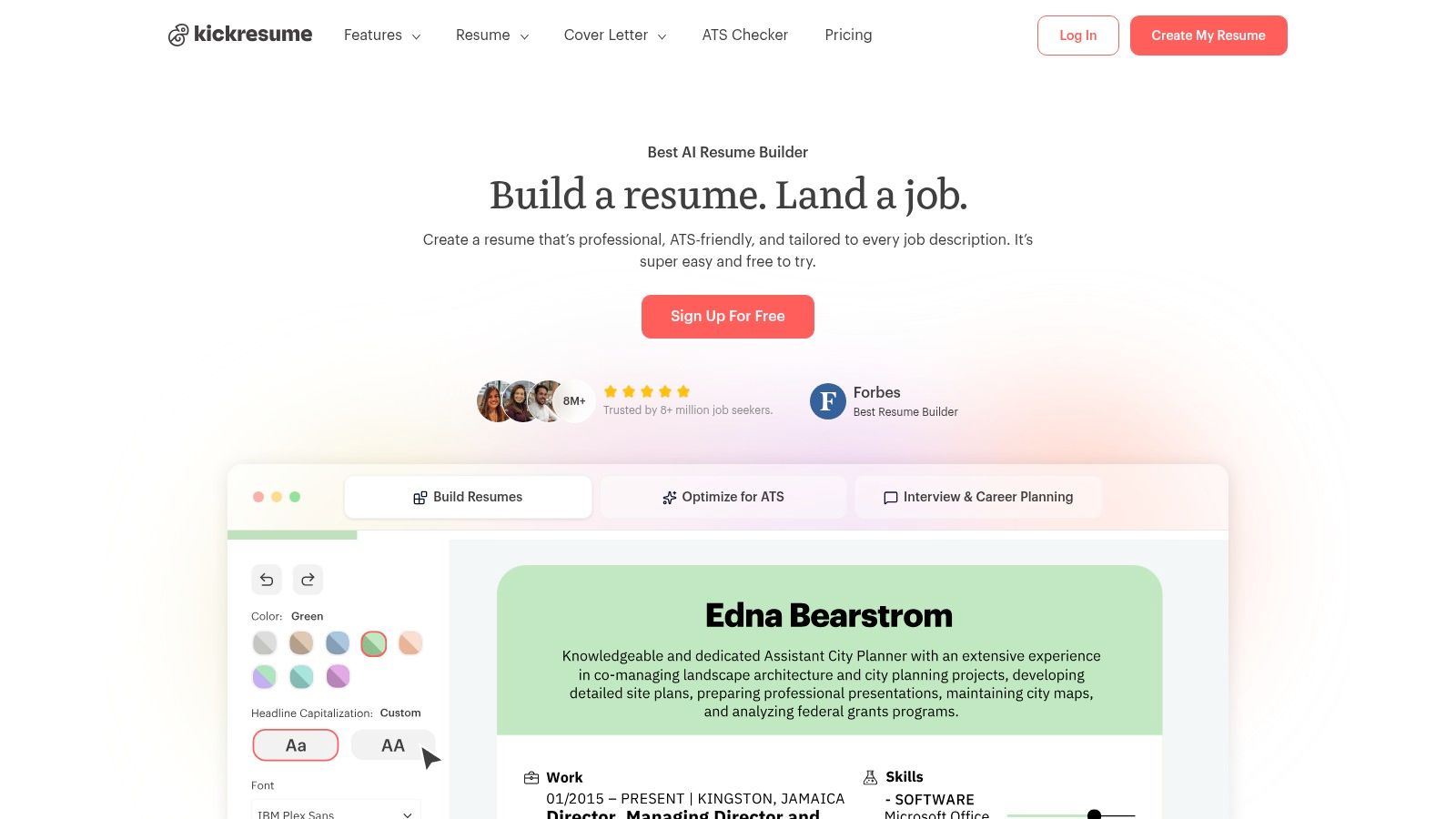
You can begin with a chat-style flow that asks a few questions and drafts a full resume, import from LinkedIn, or work from profession-specific examples. Cover letters come from the same template system. An ATS checker reviews the document section by section, and mobile apps let you edit on a phone.
- Free downloads: unlimited exports on the free tier.
- Three entry routes: scratch, import, or example.
- Template gating: the better designs sit behind paid plans.
- Generic phrasing: AI drafts read smoothly and say little. Expect to rewrite most bullets with your own specifics.
- Premium value: worth it mainly when you want the extra designs and career tools.
The first draft is the easy part. Turning it into evidence is the work, and it always takes longer than the generation did.
7. Resume Worded
A resume doesn't need to be written for you. You need to know which three lines are wasting space. A 2025 survey of 1,000 U.S. job seekers found 78% considered generative AI appropriate for drafting resumes, cover letters, and mock-interview questions, while 87% said human interaction in interviews still matters because AI can't assess soft skills, per Virginia Business's report on AI and hiring. The same logic applies to review tools. A score helps, a judgment call finishes the job.
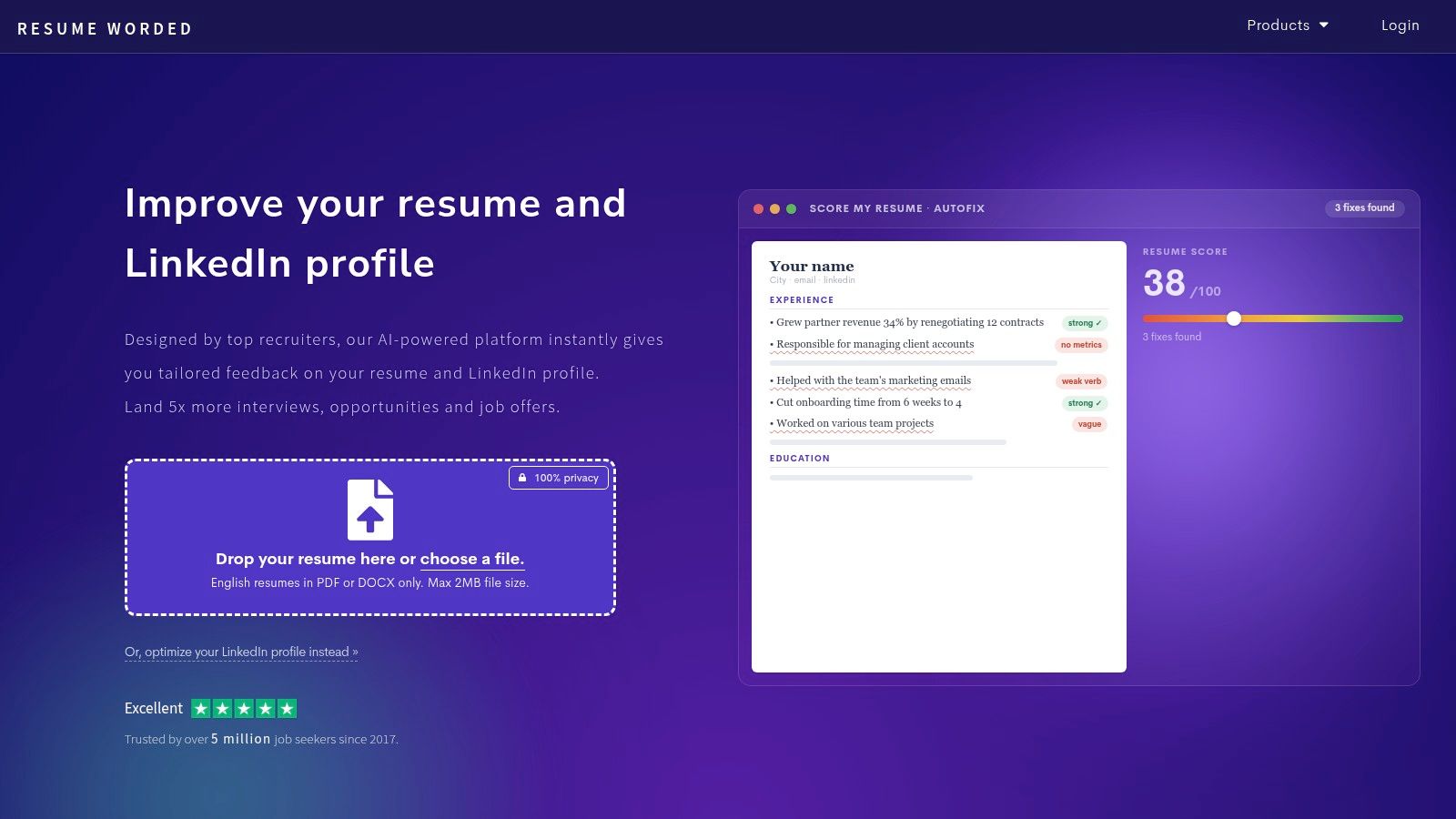
Resume Worded is a review tool first. Upload a draft and you get line-by-line feedback on impact, brevity, and specificity, plus rewriting suggestions you can compare against the original. It analyzes LinkedIn profiles the same way, which matters when a recruiter checks you there before calling.
- Feedback over formatting: it tells you a bullet is vague, not that your font is wrong.
- Side-by-side rewrites: seeing the suggested version next to yours is the fastest way to learn the pattern.
- Free tier: limited but enough to test one document.
- Paywall: full analysis and most rewrites need Pro.
- Single-use cost: a subscription is expensive if you want one review before a search.
A score is a prompt for editing, not a prediction. Nobody gets hired because a tool graded them highly.
8. Canva
Need a resume that stands out visually, or one that parses reliably in an application portal? Canva offers a large template library, a drag-and-drop editor, AI writing tools, and simple download and sharing options. Its visual flexibility suits portfolios, creative roles, and matching application materials, but the design can create problems for hiring systems.
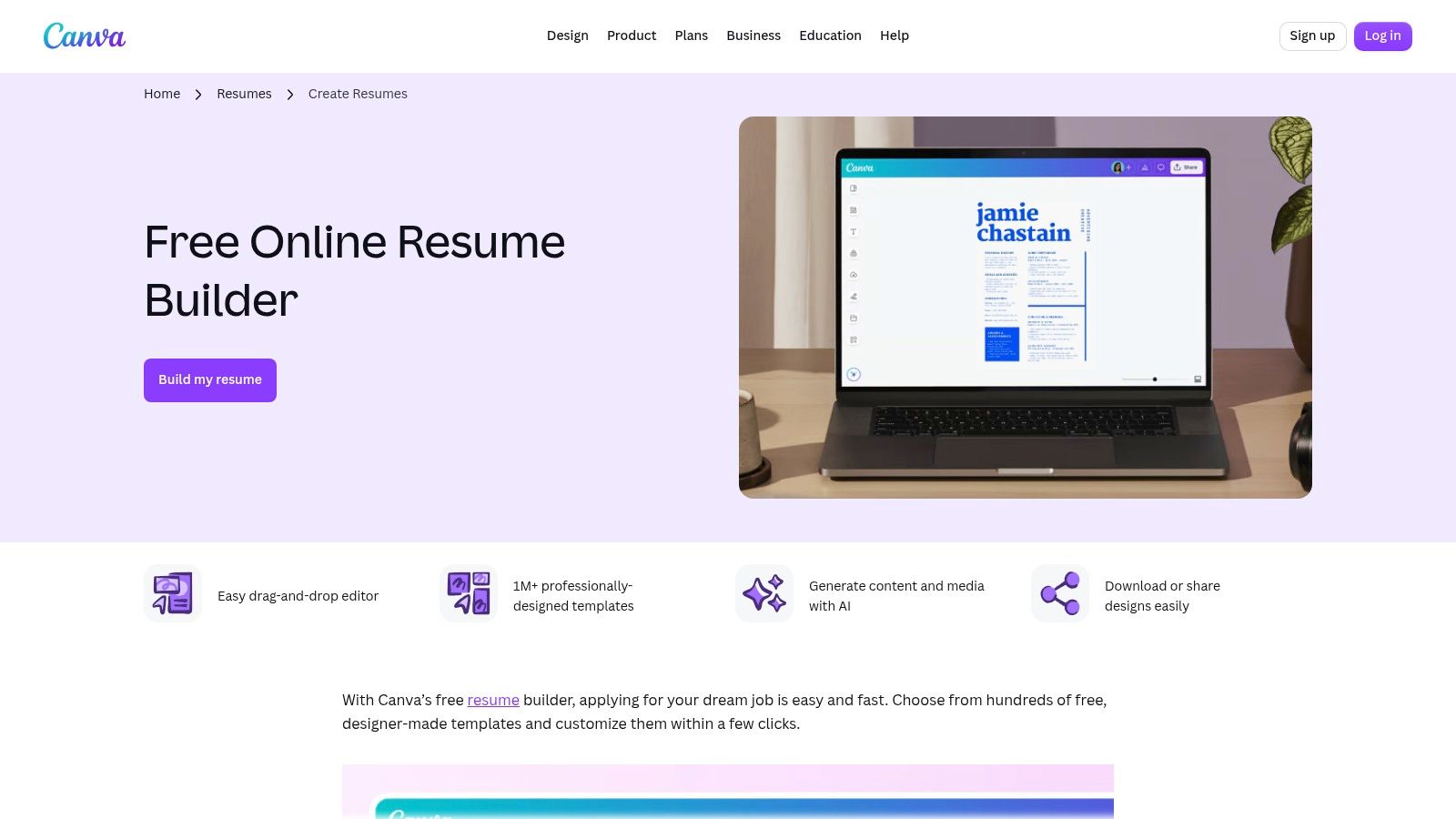
Multi-column layouts, icons, and text placed inside graphics can be misread by parsers. A resume that looks polished to a person may reach a hiring system as scrambled text, so keep a plain version ready for online applications.
When a designed resume hurts you
For applications through a portal, use a single-column layout with real text, standard headings, and no words embedded in images. Save the designed version for email, portfolio sites, and conversations.
- Customization: Choose colors, fonts, and layouts to suit your work.
- Free access: Canva offers a usable free tier.
- Overdecoration: Flexible design can bury relevant experience.
- AI copy: Check generated lines against the job requirements and your actual experience.
Canva works best when visual presentation matters more than strict parser compatibility. For budget-conscious nonprofit teams, the Canva Pro nonprofit access guide is an unofficial third-party resource, not an official access route.
9. Resume.io
Guided builders exist because a blank page defeats people. Resume.io walks you through the document step by step, generates summary text with AI, and supplies matching cover-letter templates. A job tracker and interview-preparation tools sit alongside the editor, so one account covers the application and what comes after it.
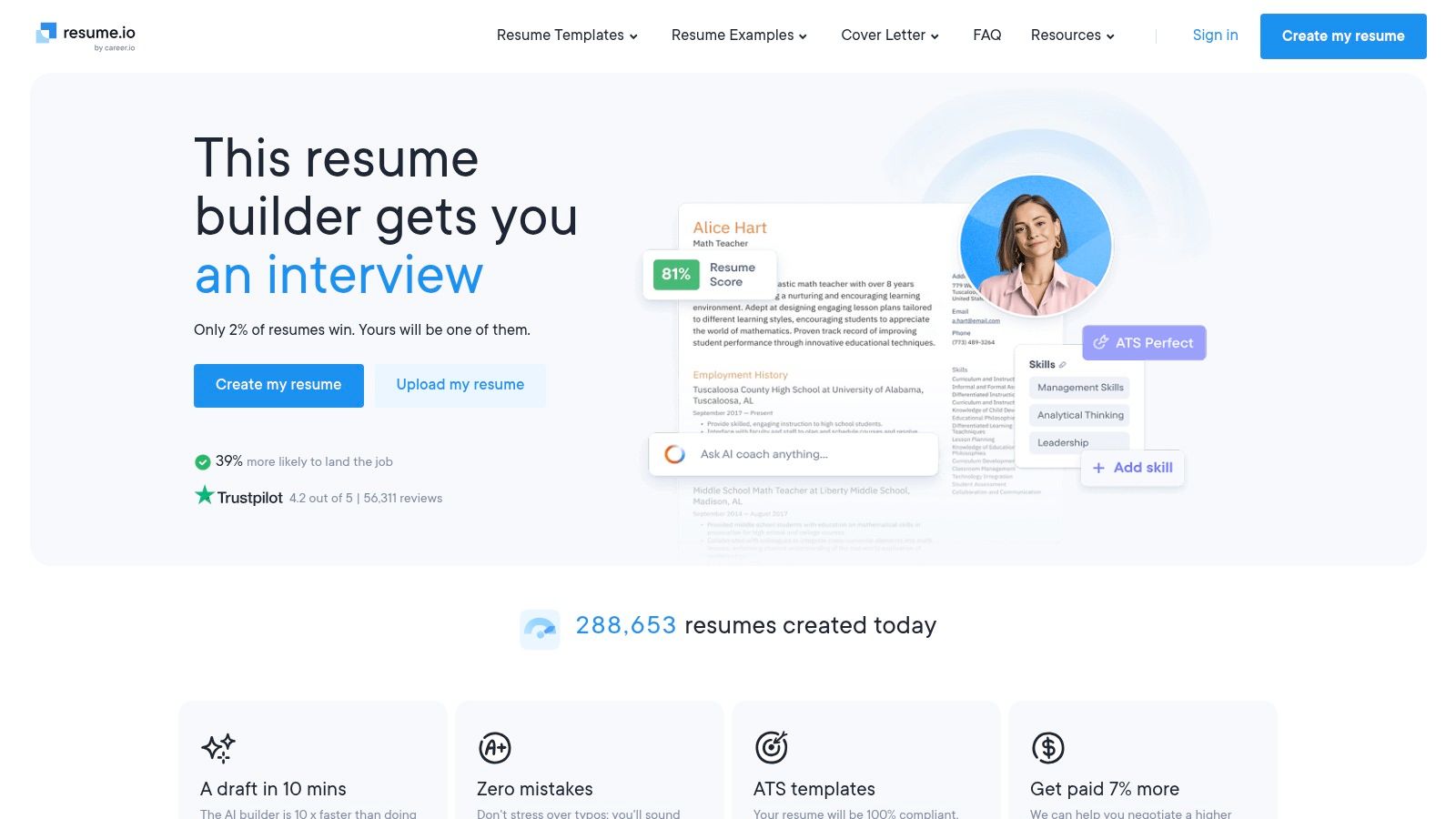
Templates are professional and conservative, which is what you want when the employer's system does the first read. The guided flow is the feature. It forces decisions about dates, scope, and outcomes instead of leaving you to invent structure.
- Onboarding quality: the step-by-step path helps people starting from nothing.
- Template range: designs that hold up in conservative industries.
- Free tier: limited features and export options.
- Trial mechanics: the 7-day trial renews automatically unless you cancel.
- Regional pricing: costs vary by location, so read the checkout page rather than a review's figure.
Read the renewal terms before you upload anything. A trial you forget is a subscription you keep.
10. Novorésumé
Not every search needs a system. Students, career changers writing a first one-page resume, and anyone applying through a conservative portal mostly need a clean layout and a fast exit. Novorésumé fills that role with structured templates, a basic free plan, AI writing credits, and matching cover letters on paid tiers.
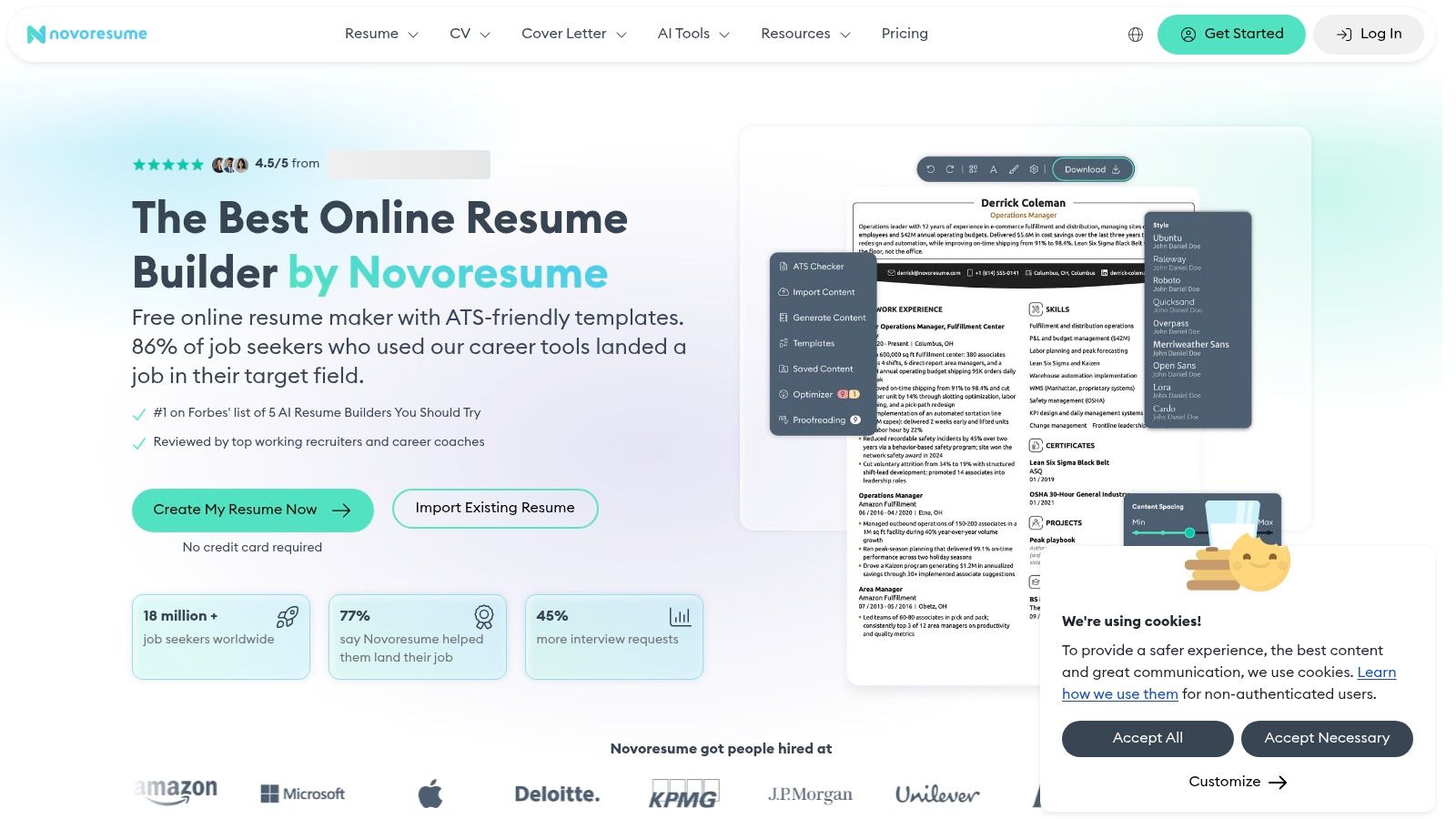
Who this is actually for
The one-page format suits early-career applicants. With a decade of experience, the compression will cost you evidence.
- Free without a trial: you can build and evaluate the editor immediately.
- Resume and CV formats: including support for mobile browsers.
- One-time payment: paid access is listed as a single purchase rather than a renewing subscription.
- Length limits: the free version restricts pages and customization.
- AI credits: capped even on paid plans, so treat generation as a supplement.
The trade-offs are honest ones. You won't get deep job matching here, and you don't need it when a recruiter reads every line. The range of options can overwhelm a simple entry-level document, so pick a template early and stop browsing.
AI Resume Builder Comparison
| Best For | Free Plan | AI Features | Standout Capability |
|---|---|---|---|
| Jobscan, tailoring resumes to specific roles | Free builder with editing and PDF downloads | Guided coaching and job-specific suggestions | ATS-focused resume scanning |
| Teal, managing resumes and job applications | Ongoing resume creation and job tracking; limited AI credits | Generates bullets, summaries, and cover letters | Combines resume tools with a job application tracker |
| Rezi, structured, ATS-focused resumes | Free plan available; some features and downloads are limited | AI writing, keyword targeting, analysis, and scoring | Job-description keyword optimization |
| Huntr, organizing and tailoring multiple applications | Templates and PDF export, with limited tailored resumes | AI resume building and job-specific tailoring | Combines resume versions with job tracking and application tools |
| Enhancv, visually customized resumes | Trial access available | Rewriting, content suggestions, and job tailoring | Drag-and-drop editing canvas |
| Kickresume, resumes and cover letters with templates | Basic templates and unlimited downloads | AI writing for resumes and cover letters | LinkedIn import and profession-specific examples |
| Resume Worded, improving an existing resume | Limited free tools available | Resume feedback, rewriting, and LinkedIn analysis | Content-focused resume scoring |
| Canva, visually polished resumes and portfolios | Free resume-building access | AI content and media tools | Flexible drag-and-drop design editor |
| Resume.io, guided resume creation | Limited features and export options | Summary generation and editing | Guided workflow with matching cover-letter templates |
| Novorésumé, clean, conventional resumes and CVs | Basic free plan without a trial | Limited AI writing credits | Structured layouts, including one-page resume options |
Picking Your Builder and What to Do After the Resume Is Done
The tool choice collapses once you name the job it has to do.
- Applying through portals and filters: Jobscan for match analysis, Rezi for scoring and conservative layouts.
- Running a pipeline of applications: Teal if the free tier's tracking matters, Huntr if you want unlimited tailoring and will pay for it.
- Design-driven fields: Enhancv for control with ATS checks built in, Canva for speed and visual range.
- Fixing a draft you already wrote: Resume Worded, with the score treated as an editing prompt rather than a verdict.
- Starting from nothing, quickly: Resume.io, Kickresume, or Novorésumé depending on whether you want guidance, generation, or a plain one-page format.
None of these tools get you hired. They get your document read, which is a narrower achievement than the marketing implies. The gap between a shortlisted resume and an offer is a conversation, and that's a separate skill with separate practice.
Two things worth doing before you send anything. First, read the resume out loud, because any sentence you wouldn't say to a colleague is a sentence to cut. Second, prepare the stories behind the bullets, since interviewers work backwards from the page. If you're applying to residency, this ERAS application strategy and CV guide covers how the documents fit that specific process.
Interview Pilot covers the stage after the builder. Resume templates, interview guides, and email templates sit in the app, a profile can be created by importing a resume or a job posting with supporting documents attached, and AI mock interviews come with an evaluation of your answers. The free plan requires no payment, so you can test the workflow before committing to anything else. That sequence matters more than the tool list. A resume written by any builder on this page puts you in a room, and what you do in that room decides the outcome.
Take the resume you just built and rehearse with it. Interview Pilot imports your resume or a job posting to create a profile, then runs AI mock interviews that evaluate your answers and show where they thin out, alongside a question bank and templates for the documents that follow. Visit Interview Pilot to start free and see how your answers hold up before the call.


Topics
ai resume builder
resume tools
job search tips
ATS resume
resume writing
Continue reading

Career
7 Skills Synonym Resume Headers for Every Career Stage
Explore 7 skills synonym resume headers, with examples and practical guidance for students, career changers, specialists, and senior professionals.
September 30, 2026
16 min read
Career
Experienced Nurse Resume: How to Write It
Write an experienced nurse resume with a clear section order, quantified clinical bullets, specialty keywords, and ATS-safe formatting for 2026.
November 3, 2026
16 min read
Career
8 Synonyms for Qualifications for Resumes
Explore 8 synonyms for qualifications, with clear examples for resumes, cover letters, and job applications.
October 8, 2026
18 min read