












AI Tools
10 AI Tools for Job Seekers in 2026: Resume to Interview
Compare 10 AI Tools for Job Seekers across resumes, ATS checks, mock interviews, and job search automation, with honest pros, cons, and use cases.
Interview Pilot Editorial Team
Updated October 10, 2026
18 min read

You have a strong background, a job posting open in one tab, and a resume that still sounds like it was written for your last role. The experience is relevant, but the wording doesn't reflect the employer's priorities. Then come the repetitive application forms, the cover letter, the recruiter message, and the interview questions you haven't practiced aloud.
The best AI tools for job seekers can reduce that friction. They can help tailor a resume, organize applications, research employers, structure behavioral answers, and rehearse delivery. They can't verify your experience, replace role-specific preparation, or make an invented achievement safe to submit.
This list follows the search itself, from resume and ATS fit through applications, networking, interview practice, and live support. Each tool is judged by where it fits, how clearly its plans and limits are explained, and what still requires your judgment. If you're researching a specialized role, such as traffic control jobs in Sydney, the same principle applies: use AI to organize and sharpen your evidence, not to manufacture qualifications.
1. Resume Worded
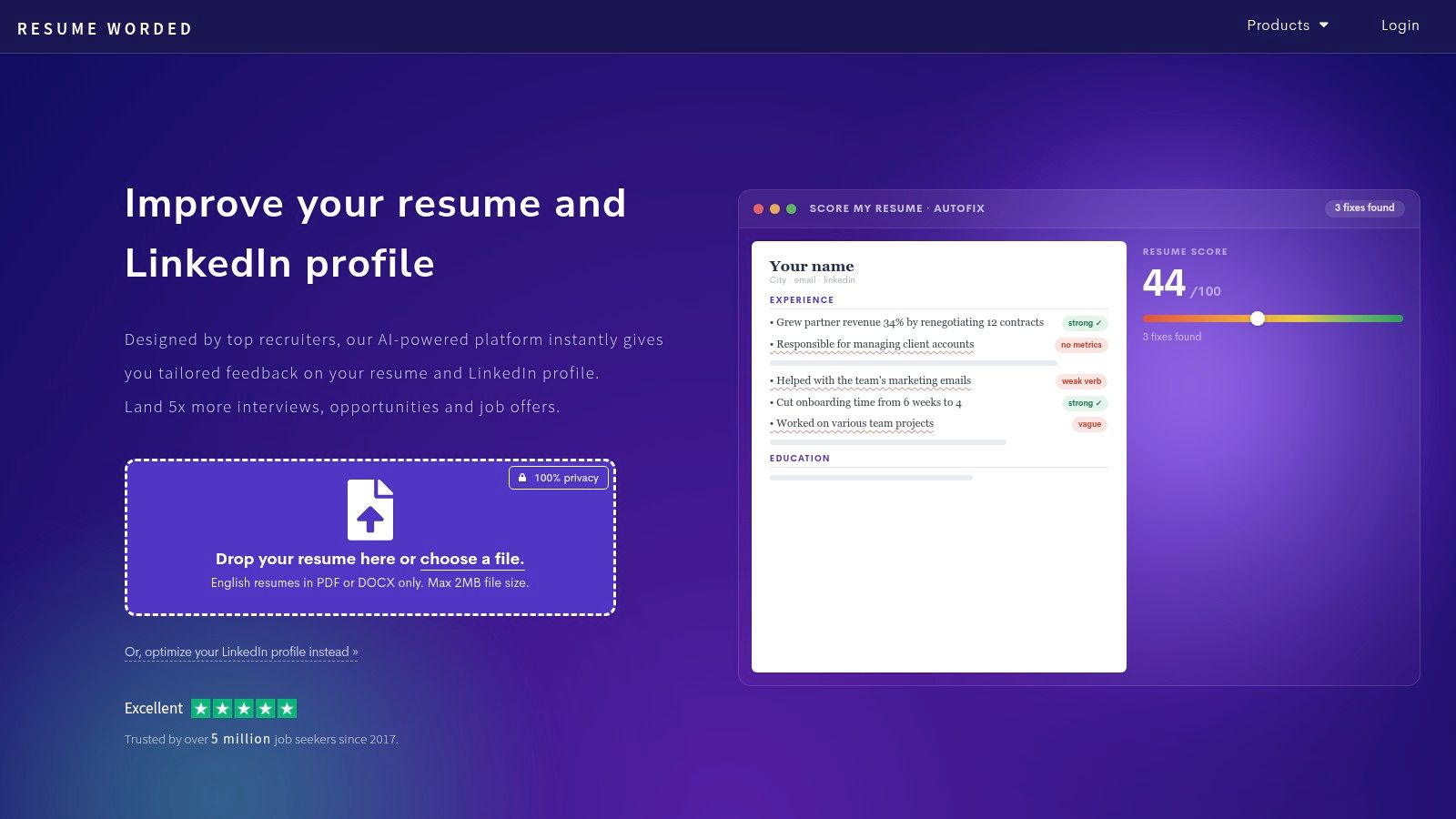
A finished resume often needs a second set of eyes, not another template. Resume Worded is useful at that point because it reviews your resume and LinkedIn profile with targeted suggestions for clarity, impact, structure, and keyword alignment.
Its Score My Resume feature gives section-level feedback, while LinkedIn Review focuses on profile quality. The rewriting suggestions are particularly useful for bullets that describe duties without showing ownership or outcomes. You can also use its templates and guidance to make a draft easier to scan without turning it into a heavily designed document that may distract from the content.
Practical rule: Use the feedback to improve a real accomplishment, not to add impressive-sounding claims you can't explain in an interview.
Resume Worded works best when you already have credible material. It's a coaching and phrasing tool, not a complete ATS simulation or an automated application system. The free tier is limited, and repeated iteration commonly leads to paid-plan prompts, so check how much feedback you'll receive before building your entire process around it.
The trade-off is straightforward. You'll get focused advice on wording and impact, but you'll still need a separate tool if you want deeper job-description matching, application tracking, or automated form filling.
2. Rezi
If your main concern is producing a clean, ATS-oriented resume, Rezi is a practical starting point. Its builder emphasizes readable formatting, job-description tailoring, keyword targeting, and a Rezi Score dashboard that helps you identify areas to revise.
The workflow is simple. Start with your base resume, add a target posting, then adjust the document around relevant skills and evidence. Rezi can also help with cover letters, and some plans include interview practice and messaging assistance. That makes it more useful than a static template when you're applying for several related roles.
Where Rezi earns its place
Rezi is strongest for candidates who want an ATS-first document without learning formatting rules themselves. It's also a good fit if you're changing industries and need help translating existing experience into the language of a new role. For examples of stronger accomplishment language, compare your draft with these resume bullet examples, then make sure every revised bullet remains factually yours.
The limitation is that ATS alignment isn't the same as hiring-manager appeal. A resume can contain relevant terminology and still feel generic, repetitive, or unsupported by evidence. Don't chase a score by inserting every keyword from a posting. Recruiters and interviewers will test whether you understand the skills your resume names.
Plan details also change. Lifetime-access offers may appear at times, while feature availability can vary across pages and plans. Confirm what's included before paying, especially if you expect interview or messaging tools to be part of the package.
3. Jobscan
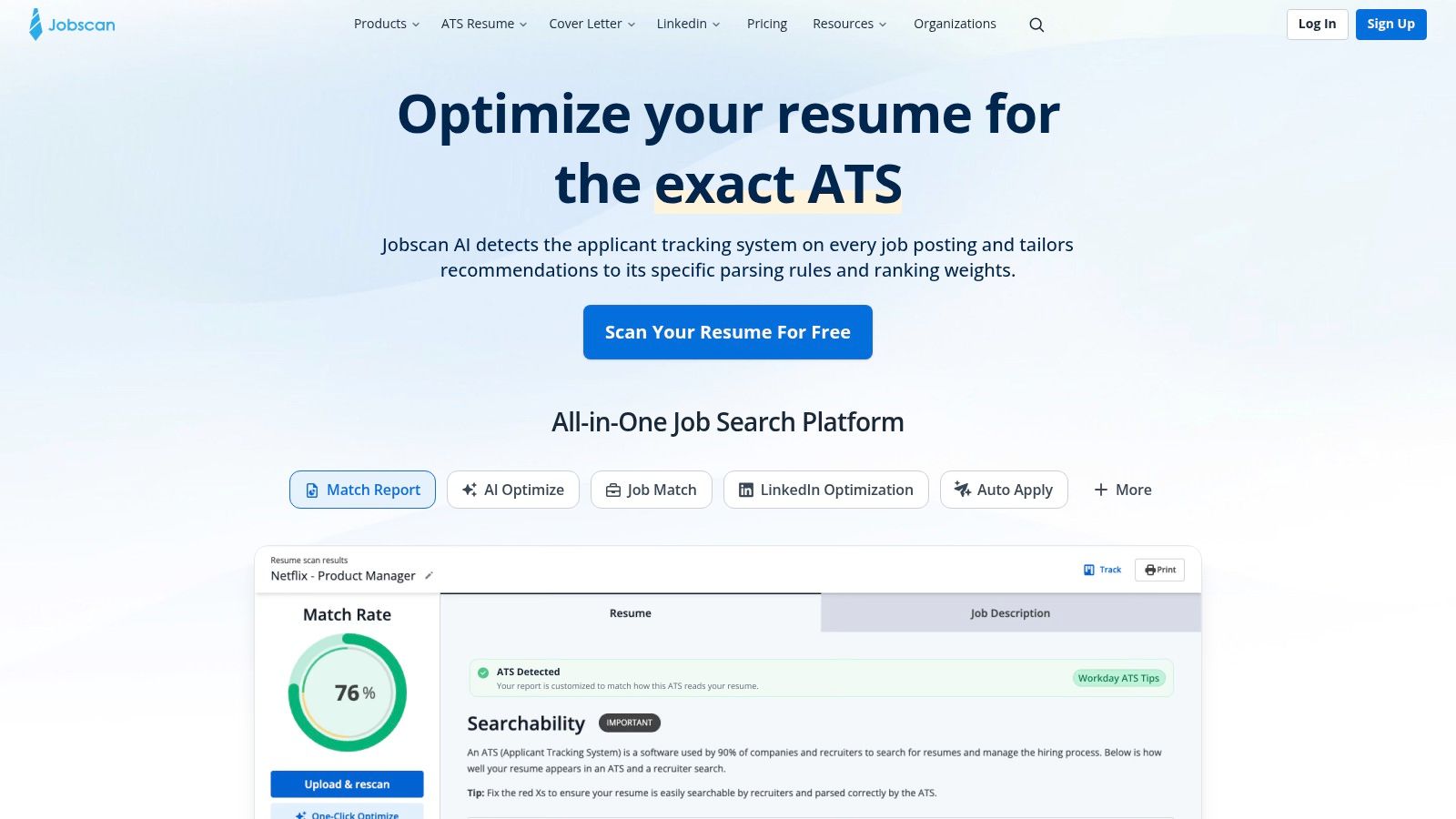
Jobscan is built for a more specific question: how closely does this resume fit this particular job description? Its Match Report compares your materials with a posting, identifies keyword gaps, and flags formatting or ATS concerns. It also includes tools for cover letters, LinkedIn optimization, job tracking, and, on applicable plans, automated application workflows.
That job-specific focus is its advantage. Instead of asking whether your resume is broadly “good,” you can inspect whether the language reflects the requirements of a target role. Jobscan also references ATS environments such as Greenhouse, Taleo, and Workday in its scanning tools, which makes the feedback more concrete than a generic writing review.
Use it before submitting an application, but interpret the result carefully. A high match score can indicate that you addressed important terminology. It can't prove that your examples are persuasive, that your experience meets the seniority requirement, or that the employer's screening process works exactly like the scan.
The free plan is limited, and many advanced features sit behind Premium. Jobscan is most useful when you're applying selectively and want a structured review for each important application. It's less compelling when you're sending the same generic resume everywhere or when the posting itself is vague.
A keyword gap is a prompt to investigate your evidence. It isn't permission to claim experience you don't have.
4. Teal
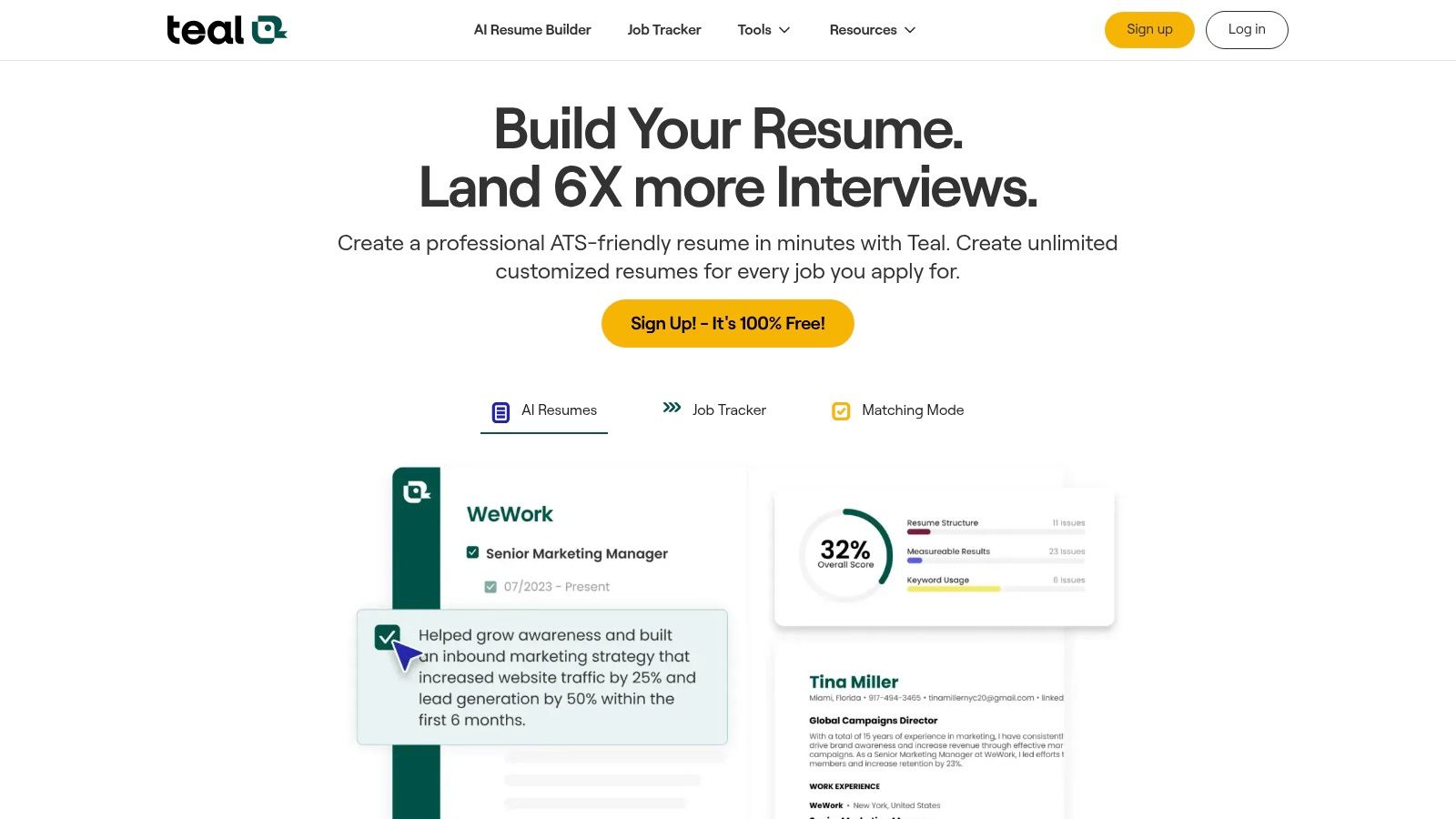
Teal treats the job search as a pipeline rather than a collection of disconnected documents. At Teal, you can save roles, track applications, tailor resumes, draft cover letters, review LinkedIn content, and manage networking activity in one workspace.
That structure matters when several applications are moving at once. A master resume gives you a source document, while the resume builder and keyword scanner help you create a version for a specific posting. The job tracker then keeps the posting, application status, follow-up activity, and related notes together.
Best for an organized search
Teal is a strong choice if your bottleneck is losing track of opportunities or repeatedly rebuilding the same application materials. Its networking CRM and outreach templates also make it easier to connect application activity with conversations, referrals, and follow-ups.
The free tier is transparent and useful for testing the workflow. The deeper value of Teal+ comes from expanded AI access and keyword insights, so frequent users may find the paid plan more practical. Some candidates may also feel pressure to upgrade when they reach more advanced resume functions.
Teal won't decide which opportunities deserve your time. A tracker can make an inefficient search look organized, and an AI-generated cover letter can still sound interchangeable. Use the workspace to preserve context, then edit every document around the employer's actual problem and your own evidence.
5. LinkedIn Premium
For candidates whose search depends on recruiters, referrals, or skill development, LinkedIn Premium adds capabilities directly inside the platform where much of that activity happens. Premium Career features can include AI-assisted job-search functions, job-post insights, InMail credits, applicant information, and access to LinkedIn Learning.
The integration is the main reason to consider it. You can inspect a role, compare your profile with its requirements, contact relevant people, and address a skill gap without moving between several services. LinkedIn's learning library is also useful when a posting exposes a clear gap that you can realistically close or explain.
Before subscribing, test whether you'll use the features consistently. Premium doesn't replace a strong profile, thoughtful outreach, or targeted applications. InMail can become expensive-looking noise if the message isn't relevant, and applicant insights shouldn't be treated as a complete picture of your chances.
Use LinkedIn's own search and networking tools first, then decide whether the additional features remove a real obstacle. This guide to searching for jobs on LinkedIn can help you build a disciplined process before paying for more visibility or outreach capacity.
Pricing and available AI features vary by market and account. Confirm the current plan rather than relying on a comparison written for a different region.
6. Simplify
Application forms create a different problem from resume writing. You may already know what to say, but entering the same education, employment, location, authorization, and screening information across employer portals consumes time. Simplify addresses that friction with a browser extension for Chrome and Safari.
Its copilot can open employer portals, pre-fill fields from your profile, tailor materials, and prepare submissions for your review. The human review step is important. It gives you a chance to inspect eligibility answers, attachments, and role-specific questions before anything is sent.
Speed without blind submission
Simplify also offers AI resume feedback, outreach generation, networking insights, and job analytics through Simplify+. That makes it a useful companion to a deeper ATS tool. One service can help you improve the application, while Simplify handles repetitive entry and keeps the process moving.
The trade-off is that advanced tailoring and outreach require the paid tier. Results also depend on the employer portal. Simple forms may work smoothly, while unusual fields, multi-step questionnaires, or poorly structured sites can require manual correction.
Don't use autofill as an excuse to apply indiscriminately. Review every generated answer, especially questions about work authorization, relocation, salary expectations, certifications, and availability. Speed only helps when the application remains accurate and appropriate for the role.
7. WonsultingAI
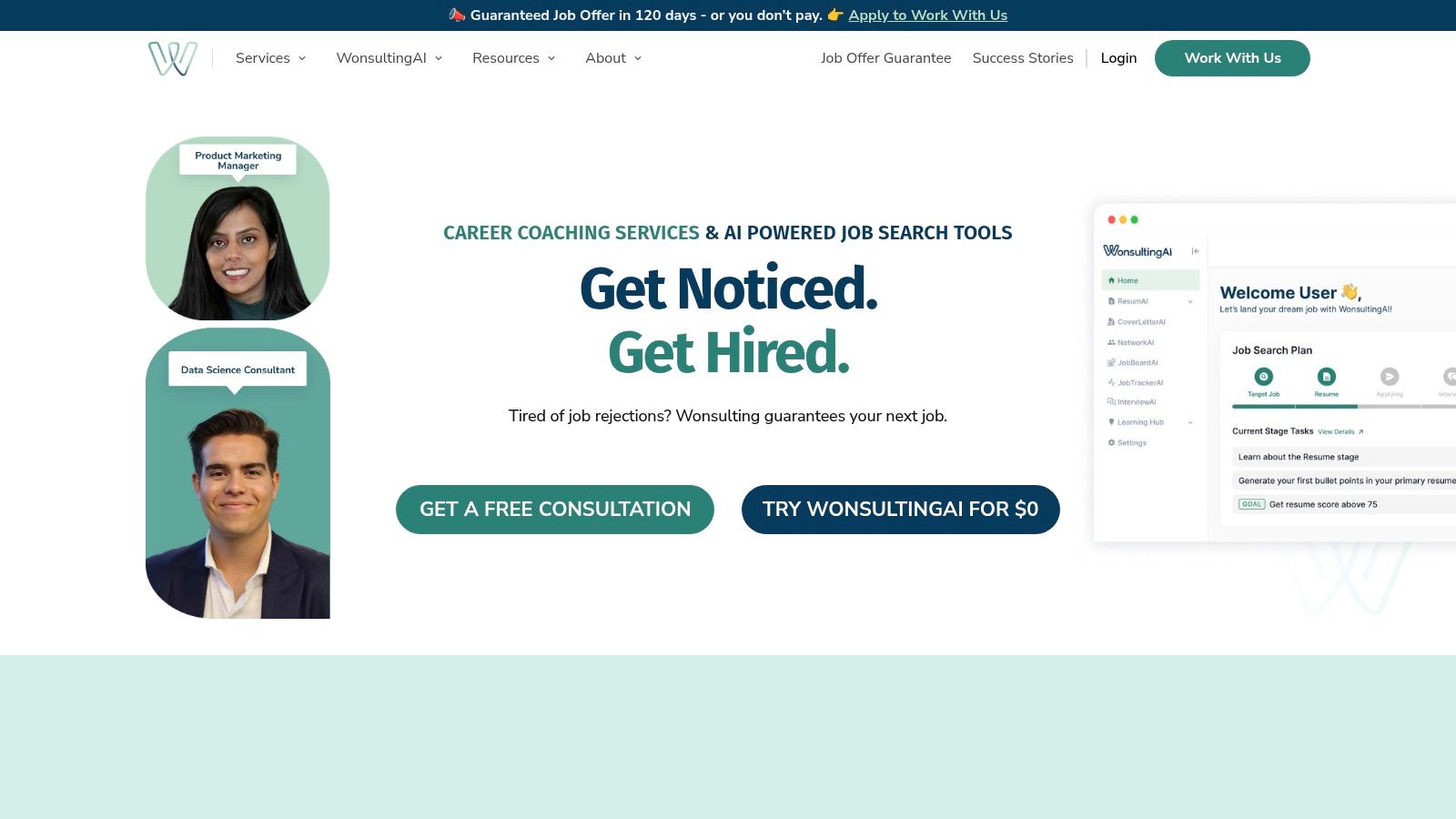
WonsultingAI bundles many job-search tasks into one ecosystem. Its products include ResumAI, CoverLetterAI, NetworkAI, InterviewAI, JobTrackerAI, and AutoApply connected with JobBoardAI. The appeal is convenience: one dashboard can support document creation, outreach, interview preparation, tracking, and application workflows.
That breadth suits candidates who don't want to assemble a stack of separate subscriptions. Premium plans offer expanded generation for resumes, cover letters, and networking, while the AutoApply process includes a review step rather than forcing every submission to happen without inspection.
A consolidated dashboard can help recent graduates and career switchers maintain momentum. It can also create a false sense of progress if the workflow rewards the number of applications rather than the quality of fit. Auto-application is not equally suitable for every role, particularly when a position requires detailed written responses, a portfolio, or careful networking.
Candidates targeting consulting should still practice their own reasoning and story structure. These behavioral questions for consulting interviews are useful for preparing evidence before asking AI to help organize it.
User experiences include reports of bugs and mixed perceptions of value, so test the workflow with a small number of applications first. Confirm how much review you retain, what each plan offers, and whether the tools support the job boards and roles you truly use.
8. Yoodli
Interview performance includes more than the correctness of an answer. Candidates can know their material and still speak too quickly, rely on filler words, bury the main point, or lose clarity under pressure. Yoodli focuses on that delivery layer with live AI roleplays, recorded-session feedback, structured drills, and analytics for pacing, filler words, and speech clarity.
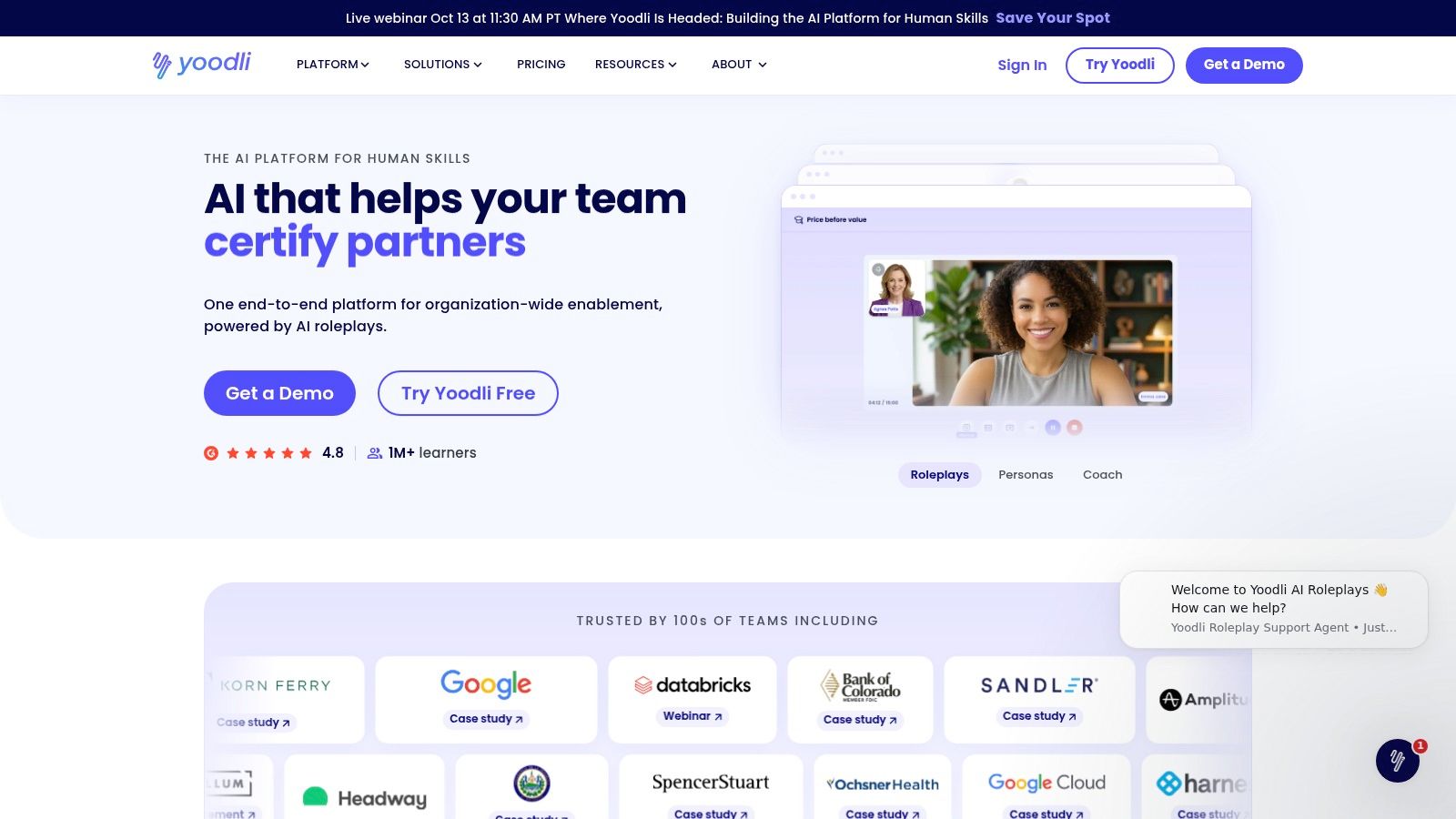
The platform is especially useful for behavioral and leadership interviews, where communication quality shapes how an otherwise solid example is received. It can also support non-native speakers who want repeated practice with fluency and delivery without relying on a friend's availability.
What delivery feedback cannot fix
Yoodli can tell you that an answer is rushed or difficult to follow. It can't teach the technical content you haven't studied, verify that your project example is accurate, or replace research into the company and role. Practice the answer you intend to give, then use the feedback to improve how you deliver it.
Its plan matrix includes starter and paid options, with quotas and advanced features varying by tier. The site also describes privacy and security controls, including a SOC 2 Type 2 posture. Read the current data terms before uploading sensitive personal or employer information.
The best routine is short, repeated practice. Record an answer, review the feedback, rewrite only what needs improvement, and record it again. Don't turn every metric into a target. Natural conversation matters more than eliminating every pause.
9. Big Interview
Big Interview is designed for candidates who need a structured path from learning to rehearsal. It combines interview lessons, question libraries, guided curricula, and AI video feedback through tools such as PracticeAI and VideoAI.
That combination makes it more substantial than a random question generator. You can prepare for behavioral interviews, role-specific conversations, salary negotiation, and other hiring situations, then record responses and review feedback on pace, filler words, and content structure.
A curriculum beats random practice
The guided format helps when you don't know what to practice first. It also fits candidates preparing for final rounds who need consistency rather than one improvised mock interview. Career centers and educational institutions use the platform, and individual and team plans are available.
Big Interview isn't an ATS optimizer or resume builder. You'll need another tool for document tailoring, and you'll still need to verify technical answers against authoritative role material. Personal plan pricing can vary by term, so check the current offer and refund conditions before subscribing.
Use the platform to build an answer bank, not to memorize scripts. Interviewers often ask follow-ups, and a memorized paragraph can collapse when the question changes. Prepare the facts, decisions, trade-offs, and results behind each example so you can respond naturally.
10. Interview Pilot
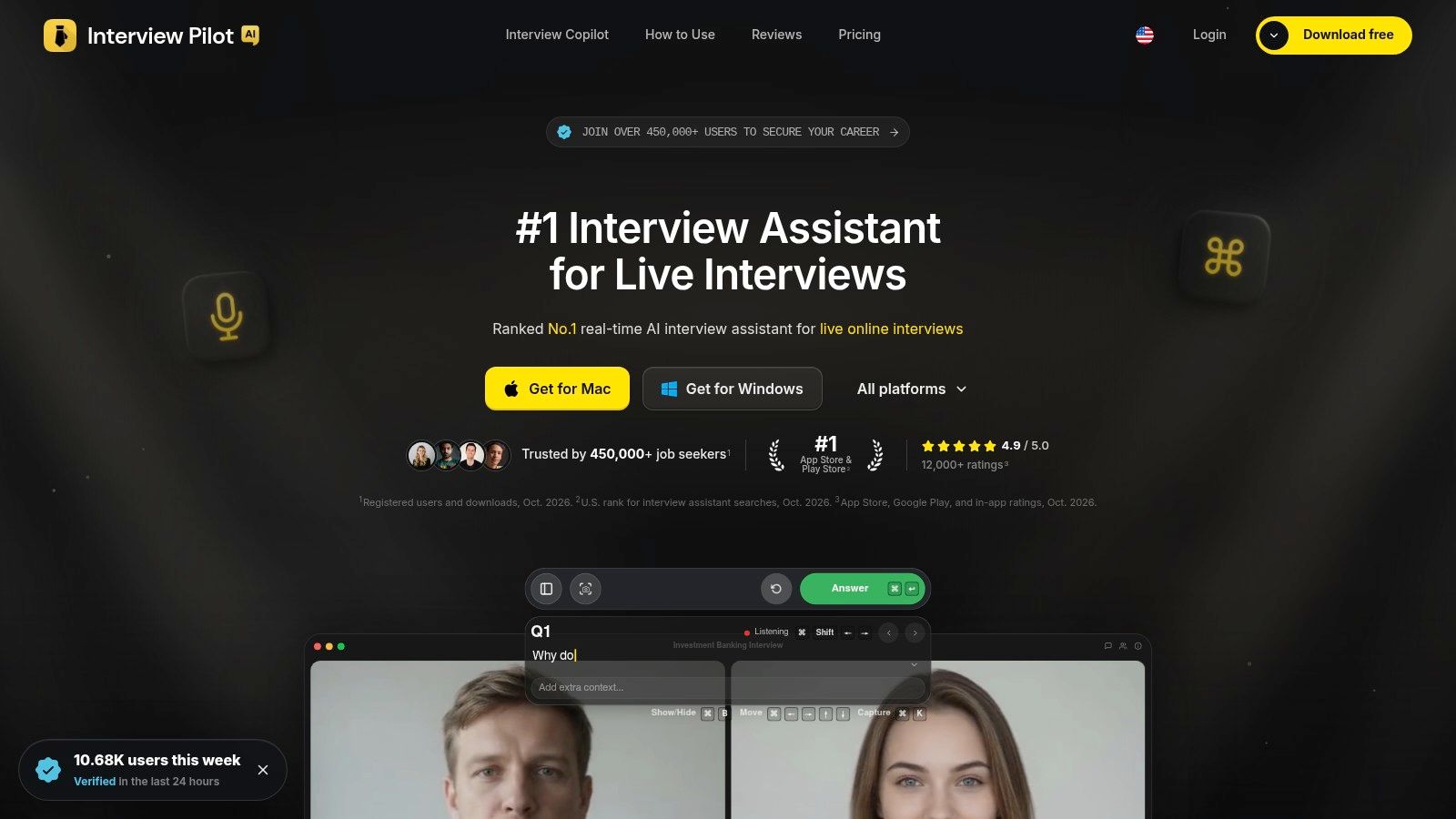
A common late-stage problem looks like this. You know your stories, you understand the role, then the live interview starts and your answer loses shape under pressure. Interview Pilot is built for that stage of the job search. It focuses on practice before the call and live support during it, rather than resume tailoring or application tracking.
Its Interview Copilot offers context-aware suggestions in online interviews, and the platform also includes guided mock interviews plus a searchable question bank. The copilot works with Zoom, Google Meet, Teams, and Webex. You can add profile and document details so the prompts reflect your own background instead of generic sample answers. Controls for tone, depth, and focus are useful when you need to switch between a concise behavioral response and a more detailed technical explanation.
Preparation across technical and non-technical roles
Interview Pilot spans software engineering, data, product, finance, consulting, business analysis, and operations. Its question bank includes about 10,000 questions, with full access on paid plans. Native apps are available for macOS, Windows, iOS, and Android. The service also supports more than 99 languages and accents, which helps candidates interviewing across regions or speaking in a second language.
The strongest use case is rehearsal with pressure. Practice short introductions, behavioral stories, technical walkthroughs, and follow-up handling until your answers sound natural. That matters more than chasing perfect wording. Real interviews shift fast, and a tool that feeds suggestions cannot carry you through a coding task, a finance model discussion, a case interview, or a domain question that depends on first-hand judgment.
The policy and ethics boundary
This is the part job seekers should treat seriously. Some employers ban outside assistance, recording, transcription, or real-time answer generation during interviews. If the policy is unclear, ask before you turn on any live support. Using AI to present reasoning you cannot produce on your own can get you disqualified, and it can create a worse problem later if you win the role but cannot perform without prompts.
Interview Pilot offers Free, Weekly, Monthly, and Yearly plans. Paid tiers open the full question bank and priority support. The company describes industry-standard encryption and public service-health reporting, including a recent 90-day availability of 99.99%. Reliability still is not the only check that matters. Read the current privacy terms before uploading resumes, work samples, or confidential material.
Top 10 AI Job‑Seeker Tools Comparison
| Product | Core features | Unique selling points (✨) | UX / Quality (★) | Target audience (👥) | Price / Value (💰) |
|---|---|---|---|---|---|
| Resume Worded | Resume & LinkedIn scoring; AI rewrites; templates | ✨ Section-level phrasing & impact coaching | ★★★☆ Clear, actionable feedback | 👥 Candidates with drafts; mid-levels | 💰 Free limited; paid for deeper reviews |
| Rezi | AI resume & cover builder; Rezi Score; JD tailoring | ✨ ATS-first templates; keyword targeting | ★★★☆ Practical, ATS-oriented | 👥 ATS-focused applicants | 💰 Subscription; occasional lifetime deals |
| Jobscan | Match Report vs JD; ATS checks; cover & LinkedIn tools | ✨ Deep ATS checks (Workday/Greenhouse/Taleo) | ★★★★ Strong ATS alignment | 👥 Applicants targeting large ATS employers | 💰 Free limited; Premium for full toolset |
| Teal | AI resume builder + job tracker CRM; match score | ✨ End-to-end workflow (track → tailor → apply) | ★★★★ Smooth workflow & templates | 👥 High-volume job-searchers | 💰 Free tier; Teal+ for unlimited AI |
| LinkedIn Premium | Job insights; InMail; LinkedIn Learning | ✨ Direct recruiter visibility & learning content | ★★★☆ Integrated platform value | 👥 Network-first seekers & learners | 💰 Paid monthly/annual subscription |
| Simplify | Browser extension: autofill, tailor, submit with review | ✨ Time-saving Autopilot for portal forms | ★★★☆ Efficient but portal-dependent | 👥 High-volume applicants | 💰 Free + Simplify+ for advanced AI |
| WonsultingAI | ResumAI/CoverLetterAI/InterviewAI/AutoApply + dashboard | ✨ All-in-one job-search suite with AutoApply | ★★★☆ Broad coverage; mixed user reports | 👥 Users wanting consolidated tools | 💰 Subscription; premium unlocks unlimited |
| Yoodli | Live AI roleplays; delivery analytics; drills | ✨ Measurable speech & pacing coaching | ★★★★ Strong delivery & fluency feedback | 👥 Behavioral interviews & non-native speakers | 💰 Free starter; Pro for advanced features |
| Big Interview | Large question bank; guided curricula; AI video feedback | ✨ Structured curricula + practice-to-performance | ★★★★ Focused, institution-friendly | 👥 Final-round prep; students & career centers | 💰 Paid plans; team/edu options |
| Interview Pilot 🏆 | Real-time Interview Copilot; AI mock interviews; ~10k Qs; 99+ languages; native macOS/Windows/iOS/Android | ✨ Live in-call answer suggestions; profile-tailored responses; public uptime & encryption | ★★★★★ 4.9/5; 450k+ users; ~99.9% uptime | 👥 From recent grads to senior engineers across technical & non-technical roles | 💰 Free + Weekly/Monthly/Yearly; paid unlocks full bank & priority support |
Choose One Tool per Stage Before You Subscribe
The right choice depends on the bottleneck, not the tool with the longest feature list. If your resume is vague, start with Resume Worded or Rezi. If you need job-description-specific ATS feedback, use Jobscan. If your search is becoming difficult to manage, Teal adds the tracking and CRM layer. If repetitive forms are consuming your time, Simplify may help more than another writing assistant.
Networking-focused candidates should test whether LinkedIn Premium adds enough value to justify the subscription. WonsultingAI can make sense if you want a broad suite, but make sure its automation fits your strategy. For interview preparation, Yoodli emphasizes delivery, Big Interview emphasizes structured curricula, and Interview Pilot combines guided practice with live interview assistance.
Don't subscribe to several overlapping tools at once. Pick the stage that's slowing you down, test a free tier or short paid term against a real application, and compare the result with your current process. A tool should help you produce a more accurate, more relevant application or a more prepared interview response. It shouldn't just generate more activity.
AI-generated material must match your actual experience. Check dates, titles, responsibilities, metrics, technical decisions, and company details yourself. Keep ownership of the examples and reasoning you submit. Employers may ask follow-up questions that expose inflated language quickly.
Live-assist tools require an additional check. Read the employer's interview instructions before using real-time support, and ask for clarification when the rules don't say whether outside tools are permitted. Practicing with AI is usually a different activity from using AI to generate answers during an evaluated interview, but the employer's policy controls the situation.
Before subscribing, ask:
- Data handling: What documents and recordings does the service store, and how can you delete them?
- Free-tier limits: Which features, usage quotas, question banks, exports, or integrations are excluded?
- Role coverage: Does the tool support your target role, seniority, interview format, and technical subject matter?
- Language support: Can it handle the language and accent you need without weakening clarity?
- Plan certainty: Are the current price, renewal terms, refund rules, and included features clear?
- Human control: Can you review, edit, and reject generated content before it is submitted or shown?
A focused workflow usually beats an oversized stack. Use one tool to improve each genuine weakness, then spend your saved time researching the employer, practicing your reasoning, and preparing evidence you can defend.
Interview Pilot combines guided mock interviews, role-specific question practice, and context-aware support for technical and behavioral interviews across more than 99 languages. If you want to prepare independently and understand how the Interview Copilot fits your process, visit Interview Pilot and choose the plan that matches your next interview.
Topics
AI tools
job seekers
AI resume tools
AI interview prep
ATS resume checker
Continue reading

AI Tools
AI Answer Generator Guide for Job Seekers
Learn what an AI answer generator is, how it works, and how to use one responsibly for interview prep without compromising accuracy or authenticity.
October 6, 2026
16 min read

Interviews
Top 8 Behavioral Questions for Consulting Interviews
Explore 8 behavioral questions for consulting interviews with STAR sample answers, interviewer intent, and tips for tailoring responses to consulting cases.
October 9, 2026
20 min read

Interviews
8 Interview Questions for Bank Branch Manager in 2026
Practice interview questions for bank branch manager roles on operations, sales targets, compliance, and team leadership, with strong sample answers.
October 9, 2026
20 min read