












Career
Send Resume Email Sample: Templates and Tips
Need a send resume email sample? Learn when to email versus using a portal, plus get subject lines, templates, and formatting tips to get noticed.
Interview Pilot Editorial Team
Updated October 12, 2026
12 min read
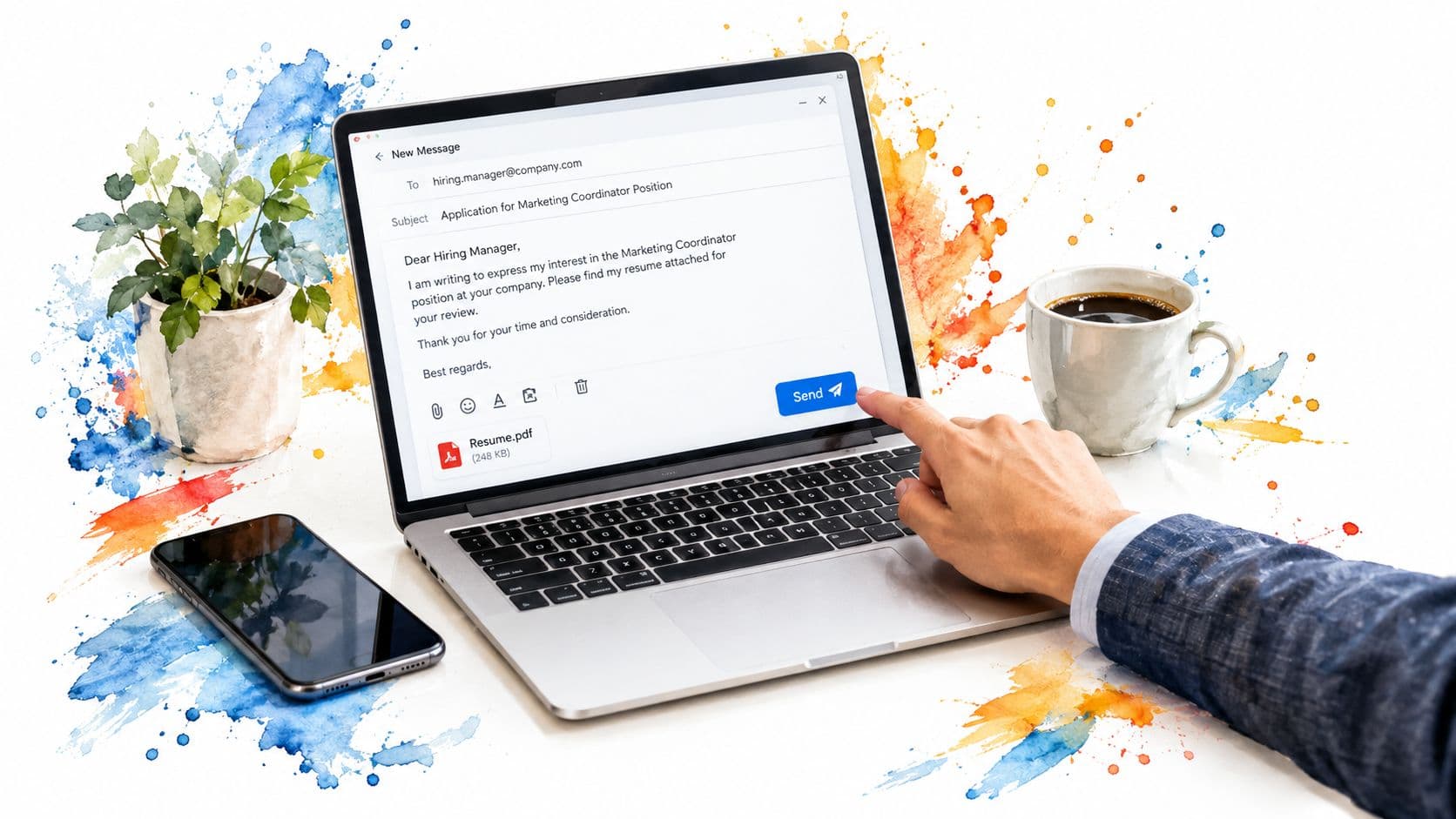
Most advice about sending a resume starts with the email itself. That's backwards. Before you write a polished subject line or attach a carefully named PDF, confirm that email is the employer's preferred intake channel. A concise message sent to the wrong place can be less useful than a correctly completed application form.
A resume sent by email enters a selective process. CareerPlug's analysis of millions of applications found roughly 180 applications per hire, with an overall applicant-to-hire conversion rate of approximately 0.5% to 1%, and only about 3% of applicants reaching the interview stage (CareerPlug recruitment data). Your email can't guarantee an interview, but it can prevent avoidable confusion, missing information, and presentation errors.
Deciding If You Should Email Your Resume
Ask one question before drafting anything: What channel did the employer request?
If the job posting says to apply through an ATS portal, use the portal first. Complete every required field, enter the job ID exactly as shown, and upload the requested file type. An email can supplement that application only when the employer provides an email address, a recruiter invites contact, or you have a legitimate referral.
If the posting explicitly asks candidates to email a resume, email it. The same applies when a recruiter contacts you directly, a hiring manager requests your materials, or a small company provides a direct address instead of an application form. For a cold introduction, email can be appropriate when you're contacting a relevant decision-maker about potential opportunities rather than pretending you're applying to an unlisted role.
Most “send resume email sample” resources focus on wording but under-answer the higher-risk question, should you email at all? A polished message can hurt your application if it bypasses an ATS, omits a required job ID, or uses the wrong attachment format, as Indeed's guidance on emailing a resume also emphasizes.
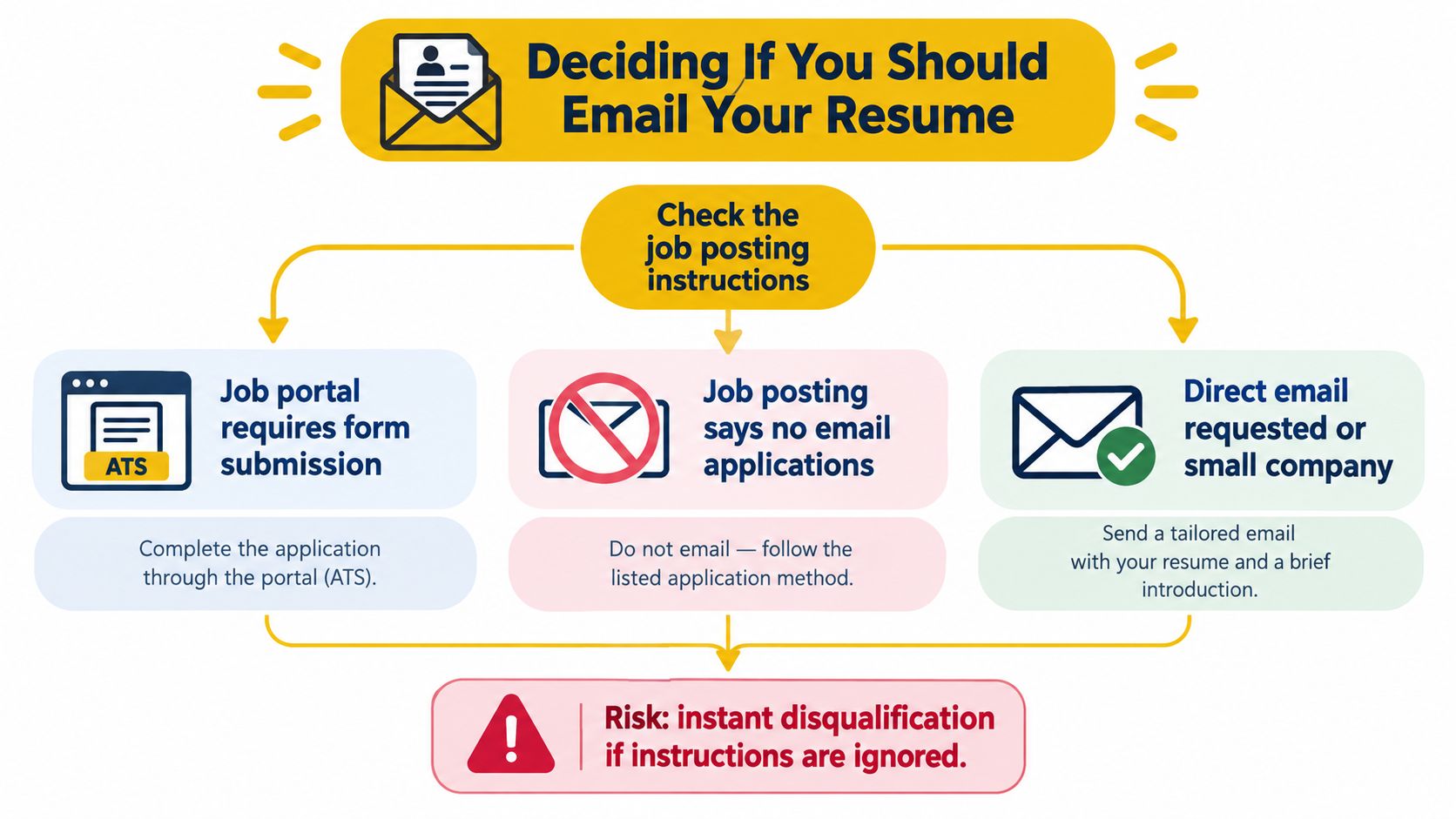
Use this decision rule:
- Portal required: Apply there. Don't substitute an email.
- Email requested: Follow the instructions precisely, including the subject format, job ID, recipient, and file type.
- Recruiter or hiring manager requested your resume: Send a short, customized message.
- Referral provided: Mention the referrer in the subject and opening sentence.
- No opening listed: Send a networking note only if your background fits the team.
If email isn't the right application channel, use a professional networking message instead of forcing a resume attachment into an inbox. These LinkedIn recruiter messaging guidelines can help you open the conversation without misrepresenting your purpose.
Anatomy of a High-Converting Resume Email
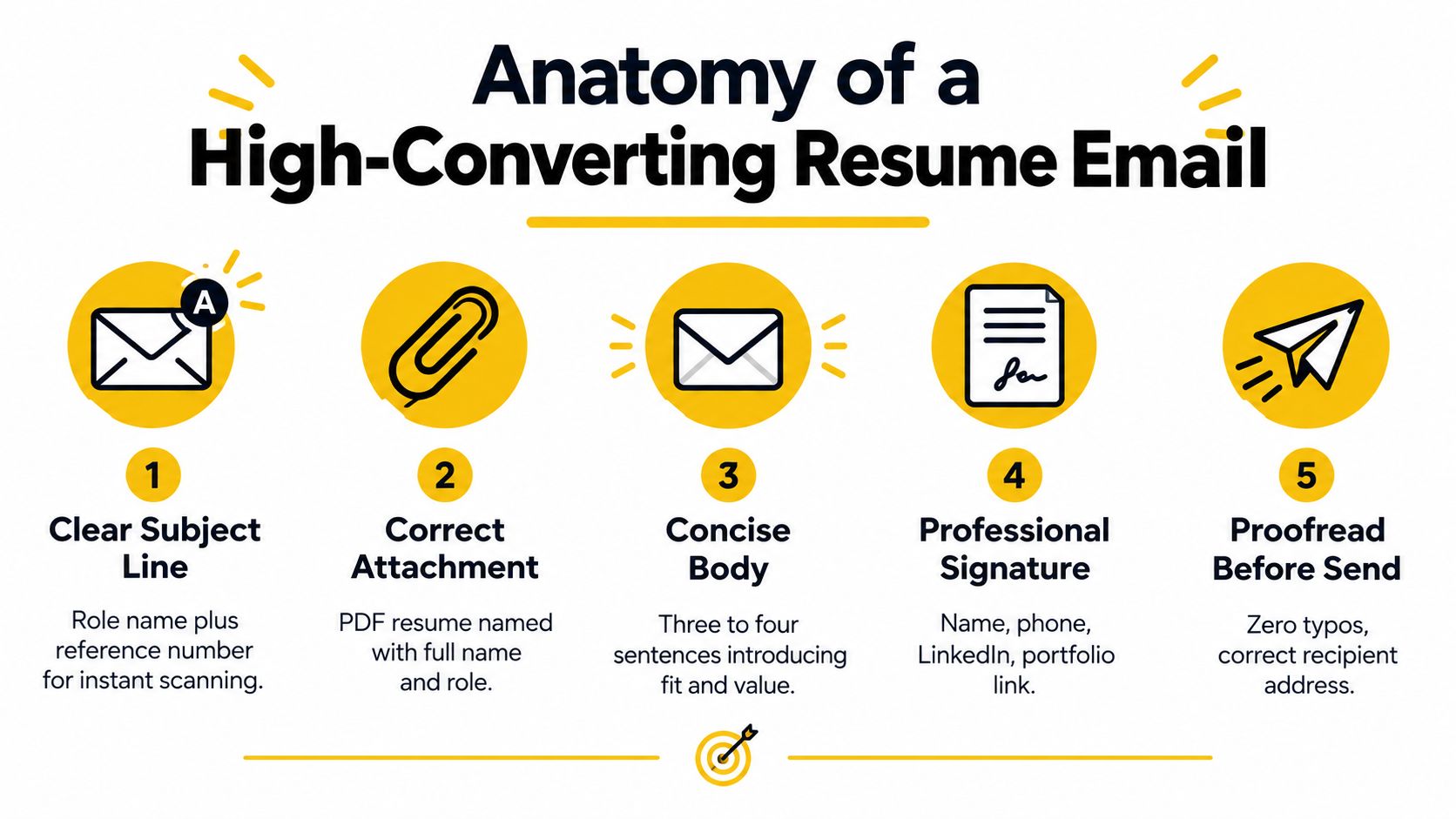
A polished resume email still fails if the reader cannot identify the role, sender, and purpose within seconds. Once email is confirmed as the correct channel, make the message easy to scan and specific to the opening.
Keep the body below roughly 100 words. Put your strongest evidence in the first 40–60 words, following the practical benchmark described by Metaintro's subject-line guidance. The email should support the resume, not repeat it as a cover letter.
Subject line
State the exact role title, your name, and the job ID when one exists. Include a referrer when that connection affects why the recipient should read your message.
Application, Senior Product Manager, Jordan Lee, Job ID 4821Referral from Maya Chen, Data Analyst, Jordan LeeApplication, Marketing Coordinator, Jordan Lee
Avoid Resume, Job Application, or Hello. These subjects give the recipient little useful information for sorting or searching messages. According to Metaintro's subject-line guidance, personalized subjects achieve a 26% higher open rate than generic alternatives, while mobile visibility favors approximately 6–10 words or 40–50 characters. Use those figures as benchmarks, not promises.
Opening and evidence
Address a named recruiter or hiring manager whenever possible. Open with your purpose: “I'm applying for the [exact role title] position at [company].” Follow with one or two qualifications that match the job description.
Use evidence instead of adjectives:
Practical rule: Replace “strong communicator” with the project scope, tool, result, or responsibility that proves relevance.
For a technical role, mention a relevant stack, delivery outcome, performance result, or defect reduction when you can support it truthfully. For a commercial role, identify the market, account type, campaign responsibility, or revenue-related scope. Select the evidence that matches the vacancy. Repeating every resume bullet weakens the message.
Attachment and close
Name the file clearly, mention it in the body, and end with a low-friction invitation. “I'd welcome a brief conversation about how my experience fits the team” gives the recipient a clear next step.
Use this sequence:
- Exact role and context.
- One or two relevant qualifications.
- Clear attachment reference.
- Specific invitation to discuss.
- Full signature with phone, email, LinkedIn, and portfolio where relevant.
The recipient should be able to identify, open, and associate the resume with you without searching through the message.
Resume Email Templates for Every Scenario
Generic templates fail because they pretend every email has the same purpose. Choose the version that matches the situation, then replace the brackets with facts from the job description or conversation.
Formal application requested by the employer
Subject: Application, [Exact Role Title], [Your Full Name], [Job ID]
Dear [Recruiter or Hiring Manager Name],
I'm applying for the [exact role title] position at [Company], as requested in the job posting. My experience with [relevant skill or responsibility] includes [quantified accomplishment or concrete scope], which aligns with your need for [job-description requirement]. I've attached FirstName_LastName_Role.pdf for your review. I'd welcome the opportunity to discuss how I could contribute to [specific team or business priority].
Best regards,
[Full Name]
[Phone]
[Email]
[LinkedIn or portfolio]
Use this only when the employer has invited email applications. If the posting requires a portal, submit there instead and don't disguise a portal application as an email submission.
Recruiter outreach
Subject: [Target Role or Function], [Your Name]
Hi [Recruiter Name],
I'm exploring [target role or function] opportunities and noticed your work hiring for [team, industry, or specialty]. I bring experience in [relevant area], including [specific accomplishment or responsibility]. I've attached my resume in case my background fits a current or upcoming search. Would a short conversation about relevant openings be appropriate?
Best,
[Full Name]
[Phone]
[LinkedIn]
This is outreach, not an application. Don't claim you're applying for a role that hasn't been posted. For more context on approaching recruiters clearly, see this guide on how to email a recruiter about a job.
Referral introduction
Subject: Referral from [Referrer Name], [Exact Role Title], [Your Name]
Hello [Hiring Manager Name],
[Referrer Name] suggested I contact you about the [exact role title] opportunity. I have experience in [relevant function], including [specific accomplishment mapped to the role]. I've attached my resume for context and would appreciate the chance to discuss whether my background fits the team's needs. Thank you for your consideration.
Kind regards,
[Full Name]
[Phone]
[LinkedIn or portfolio]
Ask the referrer before using their name. A referral is a relationship, not a keyword. If you're coordinating several introductions or need concise networking language, these copy-and-paste reply templates for DMs can help you keep follow-up messages consistent without making them sound automated.
Follow-up after applying through a portal
Subject: Follow-up, [Exact Role Title], [Your Name], [Application Date]
Dear [Recruiter or Hiring Manager Name],
I applied through [portal or company careers page] for the [exact role title] position and wanted to reaffirm my interest. My experience with [relevant requirement] includes [brief accomplishment or scope], which seems closely connected to the role. I'm happy to provide any additional information that would help with the review. Thank you for your time.
Best regards,
[Full Name]
[Phone]
[LinkedIn]
This message supports the application already in the system. It doesn't replace it. Change the context by adding a relevant qualification, referral, or clarification instead of forwarding the original email repeatedly.
Attachment Formatting and Professional Details
A polished resume can still be ignored if the attachment is difficult to open or identify. Treat the file, filename, and sender details as part of your application, not as administrative afterthoughts.
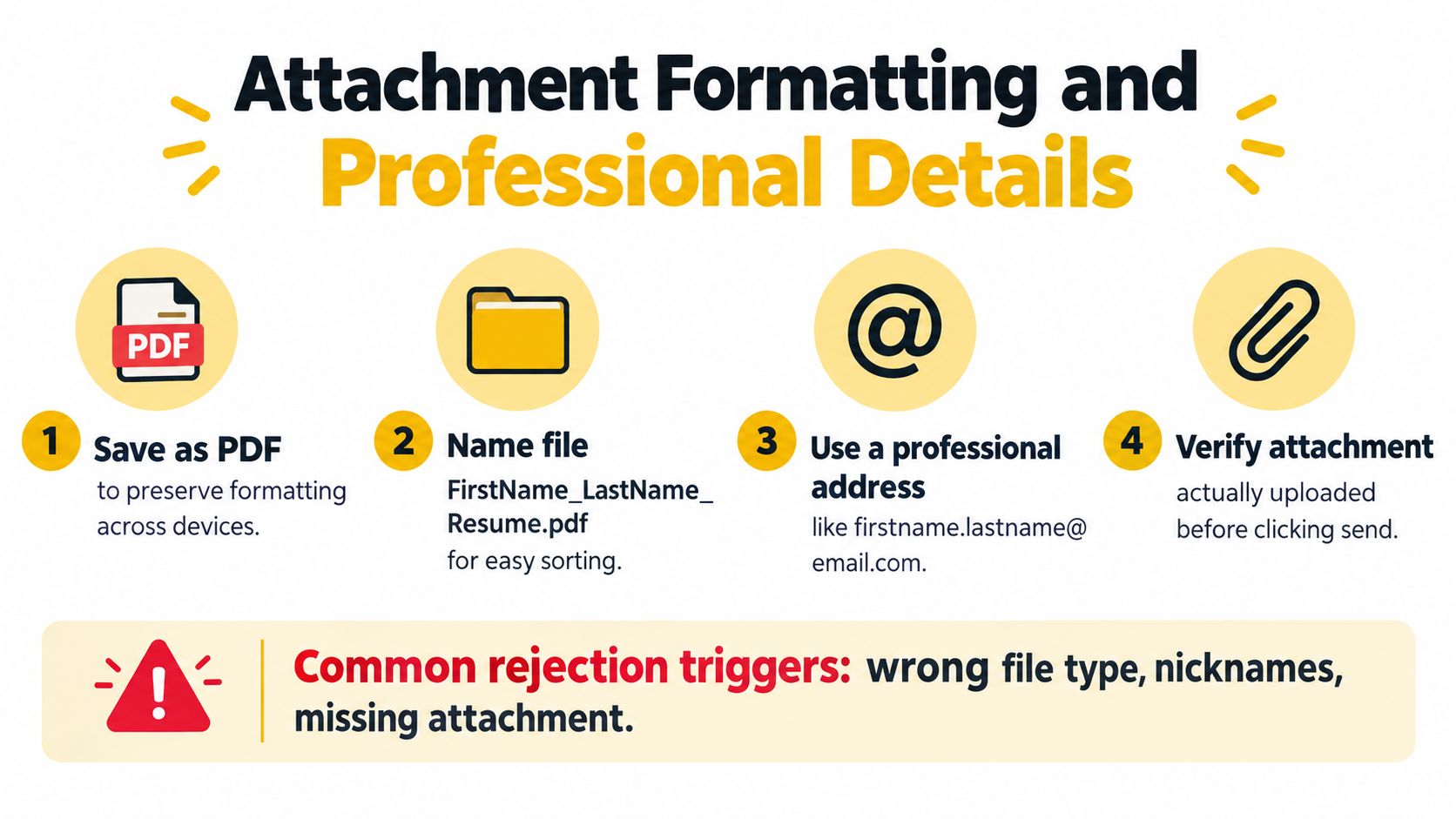
Save your resume as a PDF unless the employer requests another format. PDF usually preserves the intended layout across devices, but the posting's instructions take priority. If a document file is requested, send that format instead of imposing your preference.
Use a filename that identifies both you and the target role:
Jordan_Lee_Product_Manager.pdfJordan_Lee_Data_Analyst.pdfJordan_Lee_Senior_Designer.pdf
Avoid resume-final-final.pdf, CVnew.pdf, or any filename containing another company's name. Recruiters may download several applications, so a precise filename prevents mix-ups.
Your sender address also affects credibility. 35% of companies have a policy against hiring people with unprofessional email addresses, according to Flair's resume statistics summary. Use an address based on your name. Leave nicknames, jokes, fandom references, and outdated school handles out of job applications.
Keep your signature compact:
- Full name: Match the name on your resume.
- Phone number: Include the country code for international applications.
- Email address: Use the same professional address you sent from.
- LinkedIn profile: Confirm that it is current and publicly viewable.
- Portfolio: Include it when examples strengthen your application.
Keep the message plain. Fancy fonts, large graphics, emojis, and heavy color can render poorly and distract from your qualifications. Proofread carefully, because errors can lead to rejection by approximately 77% of hiring professionals (hiring professionals' resume error research). Run a full proofreading pass rather than relying only on spellcheck.
Pre-Send Verification and Follow-Up Strategy
The best resume email can fail because of one careless click. Treat sending as a short quality-control process.
Before you send, verify the recipient's address character by character. Confirm that the role title, company name, job ID, referrer, and greeting all belong to this application. Open the attached file from the email draft, check the first page, and make sure you haven't attached a cover letter or resume prepared for another role.
Send yourself a test message and view it on mobile. Check line breaks, attachment visibility, signature links, and the subject line's readability. If you use a custom email domain, understanding how email authentication works can also help you avoid preventable delivery and trust issues.
Use this final checklist:
- Channel: Did the employer request email, or am I bypassing a required portal?
- Recipient: Is the address correct and appropriate?
- Subject: Does it include the exact role and my name?
- Body: Is the strongest evidence near the beginning?
- Attachment: Does the file open, use the requested format, and have a clear name?
- Proofreading: Did I remove typos, stale placeholders, and incorrect company names?
- Mobile view: Does the message remain easy to scan on a small screen?
Follow up once after about 5–7 business days, using the workflow recommended by Final Round AI's application email guidance. Add useful context, such as a relevant project or clarification, rather than forwarding the same message. If the employer gave a decision timeline, respect it.
For additional follow-up wording and timing guidance, see this resource on how to follow up after applying for a job. After one clear follow-up, stop unless the recruiter responds or the employer invites further contact.
Frequently Asked Questions About Resume Emails
Should I paste my entire resume into the email?
No. Attach the resume in the requested format and use the body to establish purpose, relevance, and next steps. Pasting the full document creates a long, difficult-to-scan message and can damage formatting. Include a short summary only when the recipient specifically asks for resume text in the email.
What if I don't know the recruiter's name?
Search the job posting, company careers page, and professional profile before settling on a general greeting. If no name is available, use “Dear Hiring Manager” or “Hello Hiring Team.” Don't guess a name, and don't use a vague greeting such as “To whom it may concern” when a more direct option is available.
What if I attached the wrong file?
Act quickly. Send a corrected email with a clear subject such as Updated, [Role Title], [Your Name], briefly explain that the previous attachment was incorrect, and attach the right document. Don't write a long apology. The correction matters more than the mistake.
Should I email if I already applied through the ATS?
Only when the email has a legitimate purpose, such as a recruiter request, referral, or concise follow-up. Don't submit duplicate applications across channels without context. Your goal is to make the existing application easier to evaluate, not to create multiple records that appear careless.
Can I send the same message to several employers?
You can reuse the structure, but don't reuse the content blindly. Change the role title, company, recipient, qualification, job ID, and attachment filename every time. One leftover company name is enough to make a recruiter question whether you read the posting.
Interview Pilot can help you rehearse the questions that may follow a successful application through guided mock interviews, role-specific practice, and real-time suggested answers during online interviews. Use Interview Pilot to prepare for the conversation after your resume email has done its job.
Topics
send resume email sample
email resume
job application email
resume templates
career advice
Continue reading

Career
7 Skills Synonym Resume Headers for Every Career Stage
Explore 7 skills synonym resume headers, with examples and practical guidance for students, career changers, specialists, and senior professionals.
September 30, 2026
16 min read

Career
8 Synonyms Work Ethic: Resume and Interview Examples
Explore 8 synonyms work ethic alternatives with resume wording, interview examples, strengths, trade-offs, and tips for choosing the right phrase.
September 21, 2026
19 min read

Career
10 Job Search AI Tools Compared for 2026
Compare 10 job search AI tools for job discovery, application automation, networking and outreach, with honest limits and starting tips.
October 12, 2026
15 min read