













Interviews
Copilot AI Cost: Plans, Prices and Hidden Fees
Compare Copilot AI cost across Microsoft 365, GitHub and consumer plans, with per-seat math, hidden expenses and a simple way to estimate your budget.
Interview Pilot Editorial Team
Updated November 22, 2026
17 min read
Processing 100,000 input tokens and generating 20,000 output tokens costs about $0.36 at GPT-4.1 list rates of $2 per million input tokens and $8 per million output tokens, according to OpenAI's API pricing documentation. Nothing on a Copilot purchase order looks like that. The Copilot AI cost most buyers meet is a per-seat line on an annual contract, billed whether the seat holder opens the tool twice a day or twice a quarter.
That gap between what the model costs to run and what a seat costs to own explains most of the confusion in this category. The name Copilot covers a developer autocomplete seat, an individual coding plan, a consumer assistant and a Microsoft 365 productivity add-on, and each prices on a different unit. Comparing them head to head is meaningless until the unit is fixed. Each figure below is tied to a vendor pricing page or a commissioned cost study, and any listing that predates the current year carries its date.
Three questions decide the final bill. How many seats will you light up. Do you already own the qualifying Microsoft 365 license the add-on requires, or will it land on the same invoice. And how much one-time adoption work will you fund, since setup, training and change management sit outside every price page. Answer those and the per-seat figure becomes a budget line rather than a surprise, because the license is only part of what Copilot costs.
Copilot Prices at a Glance
Find your row first, then read what follows it. The table below lists current vendor figures for the major Copilot products, sorted by product family rather than by value, because ranking them against each other is meaningless when the units differ.
| Product | Plan | Price | Billing | Best For |
|---|---|---|---|---|
| Microsoft 365 Copilot | Business add-on | $30 per user per month | Annual billing | Organizations that already hold a qualifying Microsoft 365 plan |
| Microsoft 365 Copilot | Monthly option | $31.50 per user per month | Monthly under an annual commitment | Buyers who need monthly flexibility inside a contract |
| Microsoft 365 Business Basic with Copilot | Bundle | From $36 per user per month | Annual billing | Small businesses buying the base license and Copilot together |
| Microsoft Copilot Chat | Included access | $0 additional | Included with eligible accounts | Users with eligible Microsoft Entra accounts and qualifying Microsoft 365 subscriptions |
| GitHub Copilot Business | Organization seat | $19 per seat per month | Monthly | Companies managing developer seats (2025 listing) |
| GitHub Copilot Pro | Individual | $10 per month | Monthly | Individual developers (2025 listing) |
| GitHub Copilot Pro+ | Individual premium | $39 per month | Monthly | Heavy individual users (2025 listing) |
| Microsoft Copilot Pro | Consumer | $20 per month | Monthly | Individuals using Copilot as a personal assistant |
| Interview Pilot Free | Free plan | $0 | No payment required | Trying the interview copilot with 3 sessions and 10 uses weekly |
| Interview Pilot Weekly | Paid plan | $9.99 per week | Weekly | Short, intensive interview preparation |
Why This Is a Lookup, Not a Ranking
Every row describes a different product with a different unit of work. A developer seat at $19 per seat per month buys code completion and chat inside an editor. The $30 per user productivity add-on buys Copilot inside Word, Excel, Outlook and Teams, and it cannot be bought without a qualifying Microsoft 365 plan behind it. Those aren't cheaper or dearer versions of each other. They're separate purchases.
Two rows are easy to misread. Microsoft's bundled Business Basic figure of $36 per user per month is not a premium tier of the $30 add-on; it carries the base productivity license the add-on requires. And Copilot Chat is listed at no additional cost to users with eligible Microsoft Entra accounts and qualifying Microsoft 365 subscriptions, which means some organizations already have a usable Copilot and don't know it.
Check before you buy: the GitHub rows come from 2025 plan documentation and the interview rows bill weekly, not monthly. Confirm every figure on the vendor page on the day you sign, and note the date you checked it.
The interview rows work differently again. The free tier includes 3 sessions weekly and 10 Copilot uses weekly on normal models, and the weekly plan at $9.99 per week adds unlimited call time, unlimited Copilot use, the most powerful models, full profile and document support, the 10,000-question bank, AI mock interviews and priority support. Prices are listed in US dollars and may vary slightly by country.
Four Variables to Compare Any Two Prices
A quoted rate is only one part of the cost. To compare two Copilot offers, match the product, billing period, seat count, and eligibility requirements. Otherwise, the apparent price difference may reflect a different product or contract.

- Product category. A developer seat, an individual coding plan, a consumer assistant, and a Microsoft 365 productivity add-on serve different purposes. Their prices buy different capabilities, so compare products that meet the same need.
- Billing period. Annual billing may show a lower monthly equivalent, but it commits the buyer for twelve months. Compare that with a monthly plan that can be canceled monthly only after confirming the contract terms.
- Seat count. Multiply the per-seat rate by the number of people you plan to enable. The license total scales with seats, while the organization's overall budget also depends on any required base license and adoption costs.
- Eligibility. The Microsoft add-on requires a qualifying Microsoft 365 plan. Copilot Chat requires an eligible Microsoft Entra account and qualifying subscription. A GitHub seat must be granted by an organization.
How the Price Architecture Got Here
The Microsoft products entered the market at different times and prices. Microsoft 365 Copilot began general availability on November 1, 2023, at $30 per user per month for major business plans, including E3, E5, Business Standard, and Business Premium. Copilot Pro launched on January 15, 2024, at $20 per month, according to this history of Microsoft Copilot pricing. The add-on later became available to businesses of every size, removing an earlier 300-seat minimum. That widened eligibility; it did not change the listed per-user rate.
The Spreadsheet Columns That Stop Bad Comparisons
Record these six fields for each quote. They make it easier to distinguish the subscription rate from the total cost of access:
- Product and plan. Record both. Microsoft 365 Copilot and Copilot Chat have different eligibility and pricing.
- Billing period. Note whether the price is monthly or annual and whether an annual commitment applies.
- Seats. Count the people you expect to enable, not the organization's entire headcount.
- Base license required. Record whether one is needed and its annual cost per seat.
- Listed price. Capture the published figure and billing terms.
- Date checked. Note when you checked the price, since published rates can change.
For a broader comparison of adjacent subscriptions, this roundup of AI productivity tools can help identify which products belong in the same budget review.
For a live quote, compare the product and billing terms first, then calculate seat costs and add any required base license. The same fields show what the listed rate excludes.
Microsoft 365 Copilot Costs for Businesses
At 100 seats, Microsoft 365 Copilot's add-on totals $36,000 a year before taxes and the cost of a qualifying Microsoft 365 plan, according to Microsoft's enterprise Copilot pricing page. That figure covers only the add-on. The full budget depends on both the number of enabled users and whether your organization already pays for the required base license.
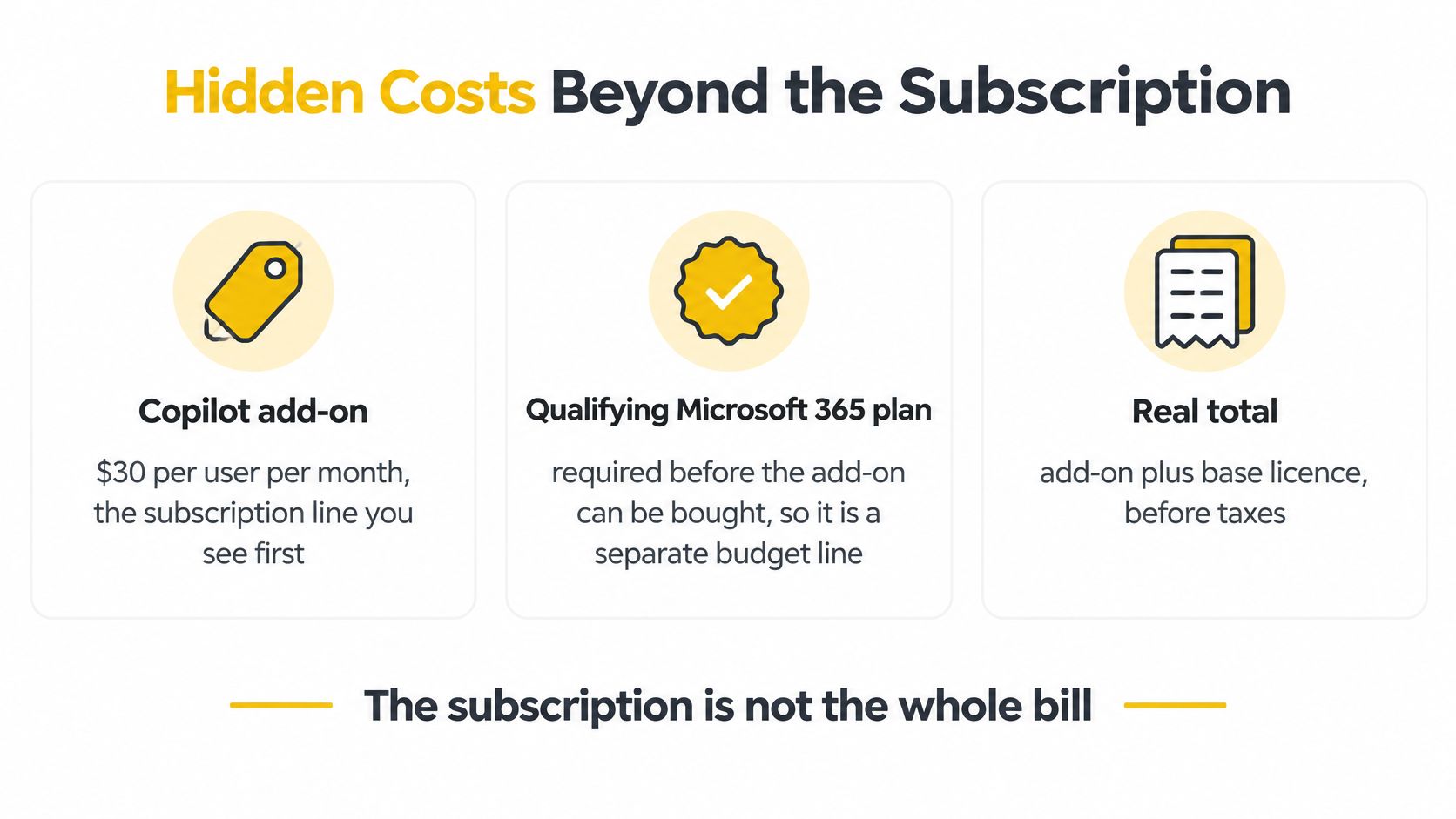
Microsoft requires a separate qualifying Microsoft 365 plan. For organizations that need both products, the same page lists a combined starting price of $36 per user per month for Microsoft 365 Business Basic and Copilot on annual billing. Existing Microsoft 365 customers should budget the add-on separately; new customers should compare the combined price with their current licensing costs.
The Seat Math at Three Sizes
| Seats | Copilot add-on per year | Business Basic with Copilot per year | Monthly add-on cost |
|---|---|---|---|
| 10 seats | $3,600 | $4,320 | $315 |
| 100 seats | $36,000 | $43,200 | $3,150 |
| 1,000 seats | $360,000 | $432,000 | $31,500 |
The annual columns scale directly with seats: each additional user adds $3,600 to the add-on total or $4,320 to the bundle total. The monthly add-on column uses the $31.50 per-user monthly-billing rate. It excludes the base license, while the Business Basic bundle includes it.
Where the Annual Commitment Saves Money
At 100 seats, monthly billing at $31.50 per user comes to $3,150 a month, or $37,800 over 12 months. Annual billing costs $36,000 for the same number of add-on seats, a difference of $1,800. Multiply that gap by the number of 100-seat blocks to estimate the effect at larger scale.
Practical rule: Budget for the seats you expect to enable, then model expansion separately. A finance team of eight in a 300-person company does not create 300 add-on charges if the initial purchase covers 40 seats.
For organizations choosing between Copilot and Azure OpenAI, the two options have different cost structures, so compare the subscription against the workload each product is meant to support.
Hidden Costs Beyond the Subscription
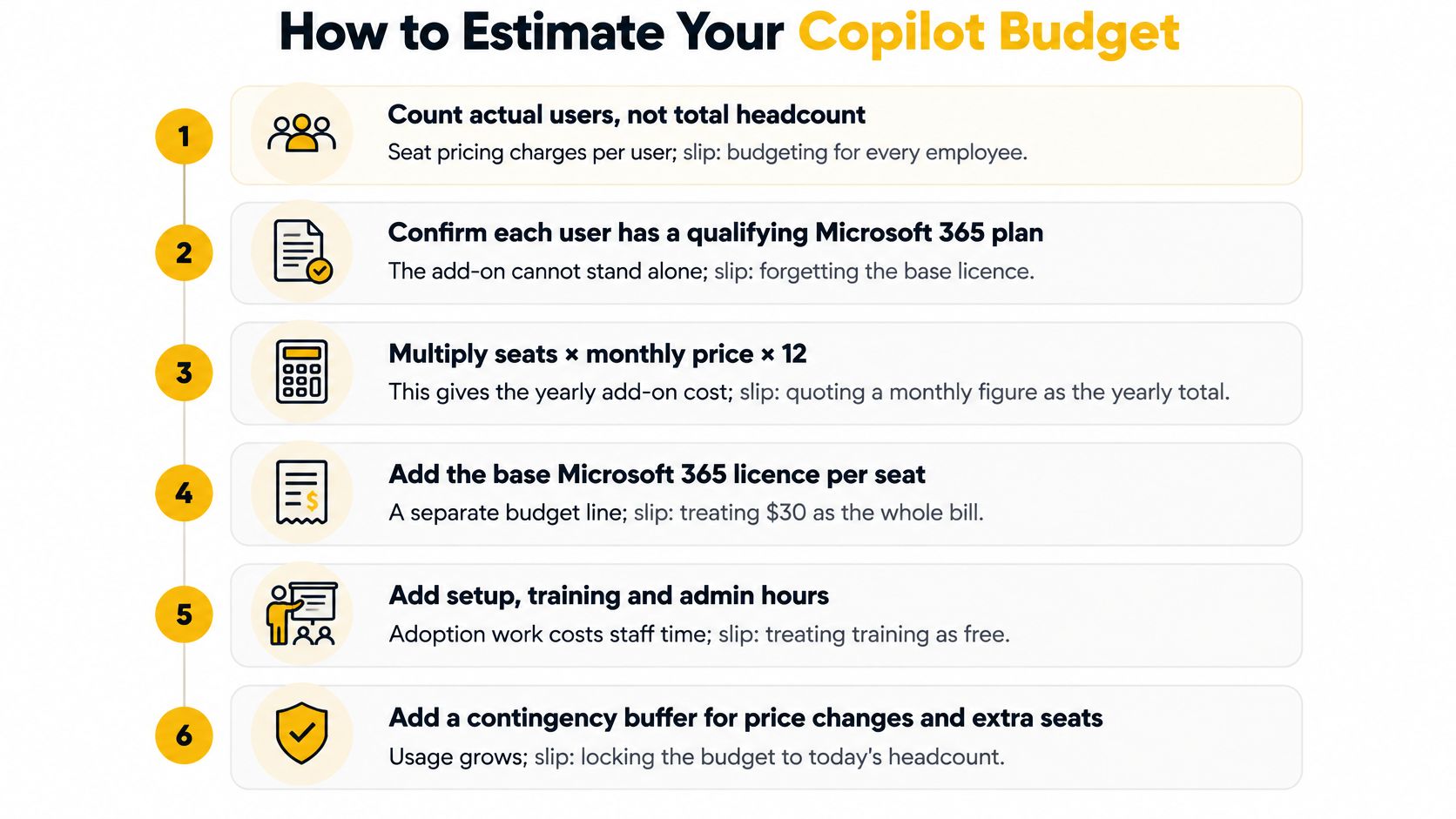
Treat the license as the whole bill and the budget will be wrong by a wide margin. The most useful public evidence comes from a Forrester model that independent analysis, summarized alongside Microsoft's business Copilot pricing, breaks into three-year cost categories for a composite organization: roughly $8.5 million for training and employee discovery, $7.2 million for Copilot licenses, and $4.9 million for implementation and management.
Read those three figures in order and the ranking surprises. Training and discovery is the largest category, running about 18% above the license spend. The license itself sits in the middle, and implementation and management is the smallest of the three, yet even it adds roughly two dollars of cost for every three dollars spent on software.
The subscription is one line on the bill, priced between two larger commitments of time.
| Cost category | Three-year amount | Note |
|---|---|---|
| Training and employee discovery | $8.5 million | Largest category in the composite model |
| Copilot licenses | $7.2 million | Subscription cost over three years |
| Implementation and management | $4.9 million | Smallest category: setup, administration and governance |
Read the ROI Figure Carefully
The same study reports modeled economics of $36.8 million in benefits against $17.1 million in costs, a return of roughly 115% over three years. Two cautions belong with that number. It comes from a composite organization built for the model, not from a payback guarantee for your company. And the three cost categories above add to $20.6 million, more than the reported cost total, so treat the ROI line and the category lines as separate figures rather than one reconciled bill. Quote either figure with the definition attached, or don't quote it.
The Lines Small Teams Miss
The costs that blow up a small deployment are ordinary ones that never produce a vendor invoice, which is exactly why they never make it into the spreadsheet.
- Permissions cleanup. Copilot surfaces whatever a user can already reach. If your file shares were never tightened, the first week of use is an audit you didn't plan for.
- Governance and admin time. Someone has to own data boundaries, retention rules and access reviews, and that someone has a salary.
- Training hours and workflow redesign. Teaching people to prompt well is the cheap part. Rebuilding a process so the tool removes a step is the expensive part.
- Support load. The first month generates a queue of questions that no vendor contract absorbs.
Small firms and international teams carry three more: annual contracts that lock the price before usage patterns settle, currency conversion, and local tax on top of list prices. Limited IT capacity compounds all three, because the same person doing permissions cleanup is the person doing everything else. If meetings are the first workload you hand to an assistant, this guide to the AI meeting assistant category shows what to evaluate before you commit budget to it.
How to Estimate Your Copilot Budget
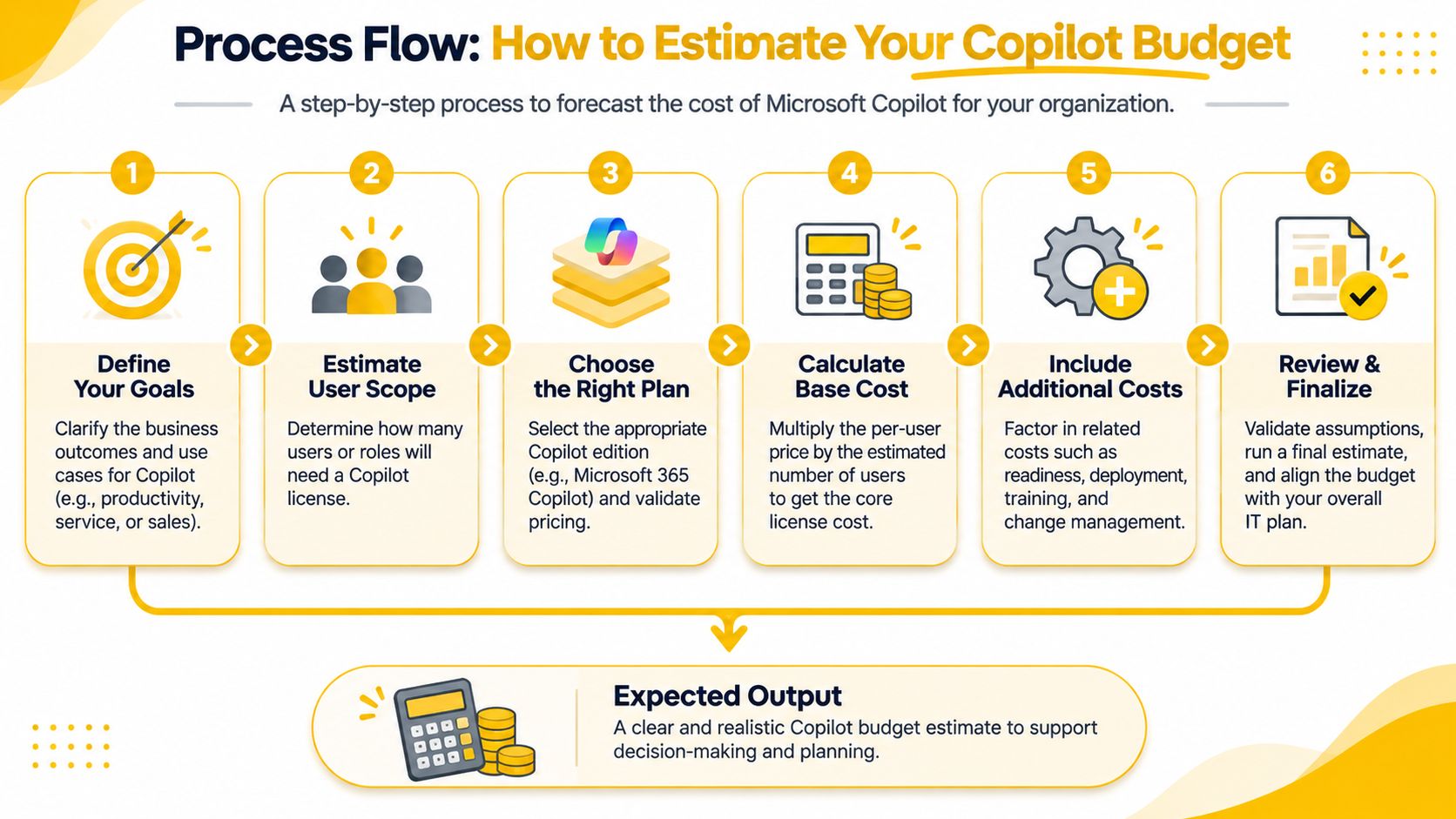
Estimating a Copilot budget takes six steps, and each one has a predictable slip that inflates or deflates the number. Work through them in order.
- Count actual users, not total headcount. Seat pricing charges per enabled user, so a 400-person company enabling 90 people budgets 90 seats. The slip is pricing every badge because it feels safer.
- Confirm who already holds a qualifying plan. Some of your people may already have Copilot Chat access at no additional cost through an existing subscription. The slip is forgetting that the add-on and the base license are two separate costs.
- Choose a billing period and multiply. Seats times price times twelve gives the yearly add-on. Annual billing lowers the monthly rate but commits you, so decide which risk you'd rather carry. The slip is quoting a monthly figure as though it were the annual total.
- Add one-time costs as real money. Setup and governance hours, permissions cleanup, and training multiplied by staff hourly rate all belong in the total. The slip is treating training as free because no invoice arrives.
- Run a one-month pilot with a small group. Record how often each person opens the tool and how much time the work now takes. The slip is judging the product from the first week, when novelty inflates usage.
- Compare the full annual total against measured time saved. Subscription plus one-time costs against hours recovered per month, priced at your own labor rate. If the ratio doesn't clear your hurdle, don't scale.
A Worked Estimate
Say 60 of 100 staff will use Copilot. Price 60 seats: 60 × $30 × 12 = $21,600 a year for the add-on before one-time costs and before the base license. Add 40 hours of training at a $50 hourly rate for $2,000 of one-time spend, plus whatever your qualifying Microsoft 365 plan costs per seat if you don't already own it. The one-time figure is small next to the subscription, which is exactly why teams skip it, and exactly why it belongs in the spreadsheet.
A pilot turns that estimate into measured numbers. After a month you'll know your real activation rate, and activation rate, not headcount, is the variable that determines whether year two costs more or less than year one.
If you plan to hand multi-step work to agents that bill per run rather than per seat, keep that meter separate from the seat budget. Looot's guide to the AI agent wallet covers how agent-level spend is tracked when work charges by consumption instead of by user.
Choose the Right Plan for Your Situation
Plan choice depends on who pays, what the tool is used for, and which licenses are already in place. Match the plan to the buyer before comparing features.
If You Already Own Microsoft 365
Start with Copilot Chat, included at no additional cost for users with eligible Microsoft Entra accounts and qualifying Microsoft 365 subscriptions. Try it for a month on real work, then assess whether a paid add-on earns its per-seat price for a defined group.
If You're a Small Business Buying Both Licenses
Compare the standalone add-on with the bundled Business Basic price. A bundle makes sense if you need the base productivity license. If you already pay for a qualifying plan, include only the incremental cost of the add-on in your comparison.
If You're Buying for Developers
GitHub Copilot Business was priced at $19 per granted seat per month in 2025, according to GitHub's plan documentation. For individuals, GitHub's licensing documentation lists Copilot Pro at $10 per month and Copilot Pro+ at $39 per month in 2025 (GitHub Copilot billing documentation). Match the tier to expected hours in the editor, not job title.
If You're an Individual or a Job Seeker
For individual professionals, start with a free tier and upgrade if sustained use calls for it. Job seekers can match the subscription period to their search. Interview Pilot is a separate interview-preparation product: its free plan provides 3 sessions weekly and 10 Copilot uses weekly, with no payment required. The $9.99-per-week plan includes unlimited call time, the most powerful Copilot models, full profile and document support, the 10,000-question bank, AI mock interviews, and priority support.
At $9.99 per week, five weeks of use would cost about $50. Compare the number of weeks you expect to need with the price of other billing periods before subscribing. For structured preparation alongside the tool, see this guide to interview practice online.
Test before you commit: choose a tier that covers your expected use for one month. A month of measured use gives you a clearer basis for choosing than a feature comparison alone.
Before signing, record the seat count, product and plan, billing period, one-time adoption cost, and vendor-page price with the date checked. Teams documenting software purchases can review audit-ready sourcing platform cost options to see how plan choices and per-seat pricing can be recorded.
Budget around the period you expect to use the tool, not an assumed year of use. Interview Pilot offers a free plan and a weekly plan at $9.99, letting job seekers match the subscription to the length of their interview search. Visit Interview Pilot to compare the options.


Topics
copilot ai cost
Microsoft 365 Copilot price
GitHub Copilot pricing
Copilot per user cost
AI assistant subscription
Continue reading
Interviews
Co Pilot or Copilot: Which Spelling Is Correct in 2026
Co pilot or copilot? Learn which spelling is correct, when to use co-pilot or copilot, and how each form is used in aviation and AI, with examples.
November 22, 2026
13 min read

Interviews
What Happens at Second Interview and What Comes Next
What happens at second interview: formats, goals, and next steps. Learn how to prepare, read the signals, and follow up after round two.
November 22, 2026
15 min read

Interviews
Product Manager Interview Answers That Hold Up
Sample product manager interview answers for behavioral, product design, metrics and prioritization questions, with the structure interviewers score and how to deliver it live.
November 22, 2026