









Interviews
Mock Interview Online: Run Better Practice Sessions
Learn how to run a mock interview online with clear goals, the right tools, realistic structure, and feedback loops that actually improve your next real
Interview Pilot Editorial Team
Updated October 19, 2026
14 min read

You've rehearsed your answers in your head, reviewed the job description, and opened the interview link. Then the first question arrives, you lose your train of thought, and the camera makes the pause feel longer than it is. Knowing what you want to say isn't the same as being ready to say it clearly through a microphone, on an unfamiliar platform, under pressure.
A mock interview online works best as a designed practice system, not a casual conversation. You need a clear goal, a format or tool suited to that goal, a session that resembles an actual interview, and feedback specific enough to change what you do next time. Online interviews were already in use before the pandemic: a Korn Ferry survey reported by SHRM found that many participating organizations used video to interview candidates and narrow applicant pools. Camera-ready communication is part of interview preparation, not an optional extra.
Build the system once, then adjust it for each role. By the end of this guide, you'll be able to set a practice target, choose how to run the session, score answers separately from technical reliability, and use the results to plan the next rehearsal. For broader preparation beyond the interview itself, these practical AI job search workflows can help put interview practice in context.
Why Mock Interviews Online Need a System, Not Just a Chat
Rehearsing answers alone can help you organize your thoughts, but it doesn't reproduce the work of an online interview. You still need to listen closely, decide what the question is asking, respond without losing your thread, and manage the camera, microphone, and platform at the same time. Latency and silence can change your rhythm, and a technical interruption can make a solid answer feel less clear than it was.
A designed mock addresses those demands deliberately. Start with four parts:
- Goal: Choose the role-specific skill or answer pattern you're trying to improve.
- Tool: Decide whether a human, peer, or AI-assisted platform best fits the session.
- Session: Set the order, prompts, timing, follow-ups, and closing before you begin.
- Feedback loop: Record observations, select a specific adjustment, then test it in the next session.
The order matters. Picking questions before deciding what you need to practice often leads to a long session with no clear lesson. A candidate working on concise technical explanations needs different prompts and feedback from someone practicing stakeholder communication or finance cases.
Practical rule: Every mock should produce one concrete adjustment you can try in the next one.
Treat the session as a small experiment. Keep the target narrow, use prompts that test it, and review evidence from your answers rather than relying on whether you felt confident. That makes it easier to tell whether the change helped, whether the question was easier, or whether a platform issue got in the way.
Setting Practice Goals That Match the Real Interview
Candidates often open a question bank before they've decided what the interviewer is likely to assess. That reverses the useful order. Read the job description first, identify the capabilities the role depends on, and then create questions that give you a chance to demonstrate them. A role-specific interview question bank can help you find prompts, but the job description should determine which ones belong in your session.
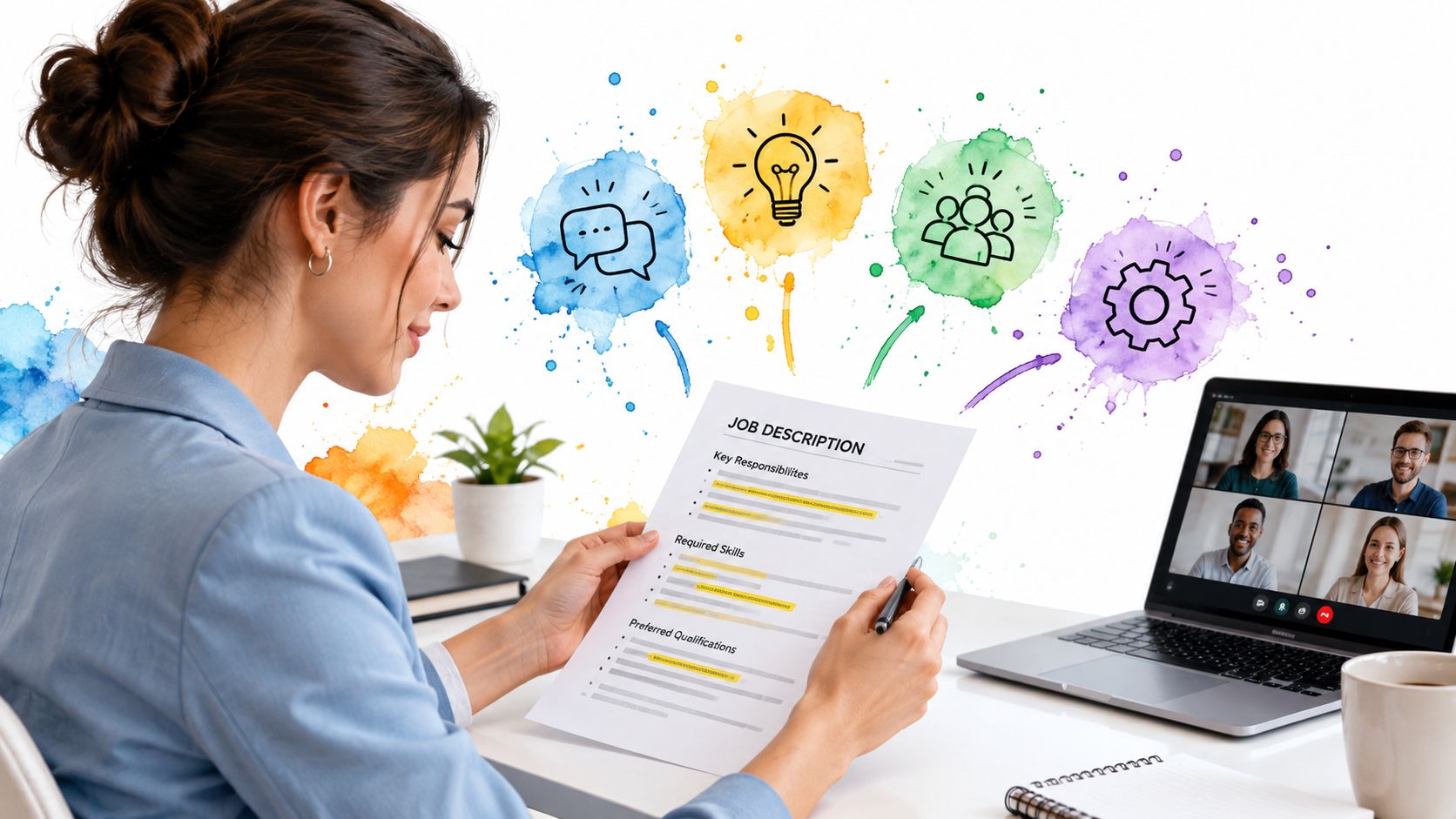
Pull out the capabilities that recur in the responsibilities and requirements. Translate each into an observable practice goal, such as “explain a debugging decision with evidence” or “describe a trade-off and defend the recommendation.” These targets are more useful than “sound confident,” because a practice partner can observe whether you did them.
Match competencies to question types
Choose the question format that gives each competency a fair test. Behavioral questions prompt examples from past work; technical prompts test reasoning; case questions explore how you frame a problem and make a recommendation; system-design questions reveal how you handle constraints and architecture. For instance, a software-engineering candidate might practice debugging under pressure, system design, and explaining a code or architecture trade-off. A financial analyst might practice assumptions in a model, interpreting results, and explaining a recommendation to a stakeholder.
Set a difficulty floor as well. Questions should be demanding enough to expose gaps, but not so obscure that the session tests unfamiliar trivia instead of the intended skill. Raise difficulty when you can explain your reasoning clearly and answer follow-ups without losing the main thread.
A simple goal sheet keeps the plan practical:
- Role and interview format: What position and interview style are you preparing for?
- Competency: What must the interviewer see you do?
- Prompt type: Which question format will reveal that skill?
- Success evidence: What should appear in a strong answer?
- Next adjustment: What will you change if that evidence is missing?
If tracking practice over time helps you follow through, use a simple goal-setting method to track your SMART objectives. The aim is not to make every answer sound identical. It's to know what you're testing and recognize when the answer shows the skill.
Use this walkthrough as a prompt for turning a role into focused preparation targets.
Choosing Your Practice Format and Platform
The right format depends on what you need from feedback and how reliably you can arrange a session. A human interviewer can notice when your example doesn't answer the question, or when your explanation loses a non-specialist listener. A peer may be easy to recruit, but may not know enough about the role to evaluate technical reasoning. AI-assisted tools are available on demand and can standardize prompts, though a fluent answer can sound stronger to a system than its actual evidence warrants.
| Format | Feedback depth | Scheduling effort | Cost | Best for |
|---|---|---|---|---|
| Human mentor or coach | Nuanced, with role context | Higher | Varies | High-stakes practice and difficult follow-ups |
| Peer swap | Depends on the partner | Moderate | Often low | Rehearsing aloud and exchanging observations |
| AI-assisted practice | Consistent prompts and repeatable review | Low | Varies | Frequent drills and targeted repetition |
Choose the format based on the gap you're trying to close, not on which one feels most polished. If you need more repetitions on a concise introduction, an on-demand tool can be efficient. If you need to explain a technical design to a skeptical interviewer, a knowledgeable person may offer more useful challenge and interpretation.
Interview Pilot is one AI-assisted option for guided mock practice and live interview support. It can fit a routine built around repeated prompts, but automated feedback shouldn't replace a human check when the question requires role-specific judgment or subtle interpretation.
A useful pattern is to start with repeatable practice, then bring in a human interviewer when you need deeper scrutiny.
For more ways to evaluate practice tools and prepare for interviews, these job hunt practice strategies offer additional context. Whatever you choose, keep the goal and scoring criteria stable enough to compare sessions fairly.
Structuring a Realistic Online Mock Session
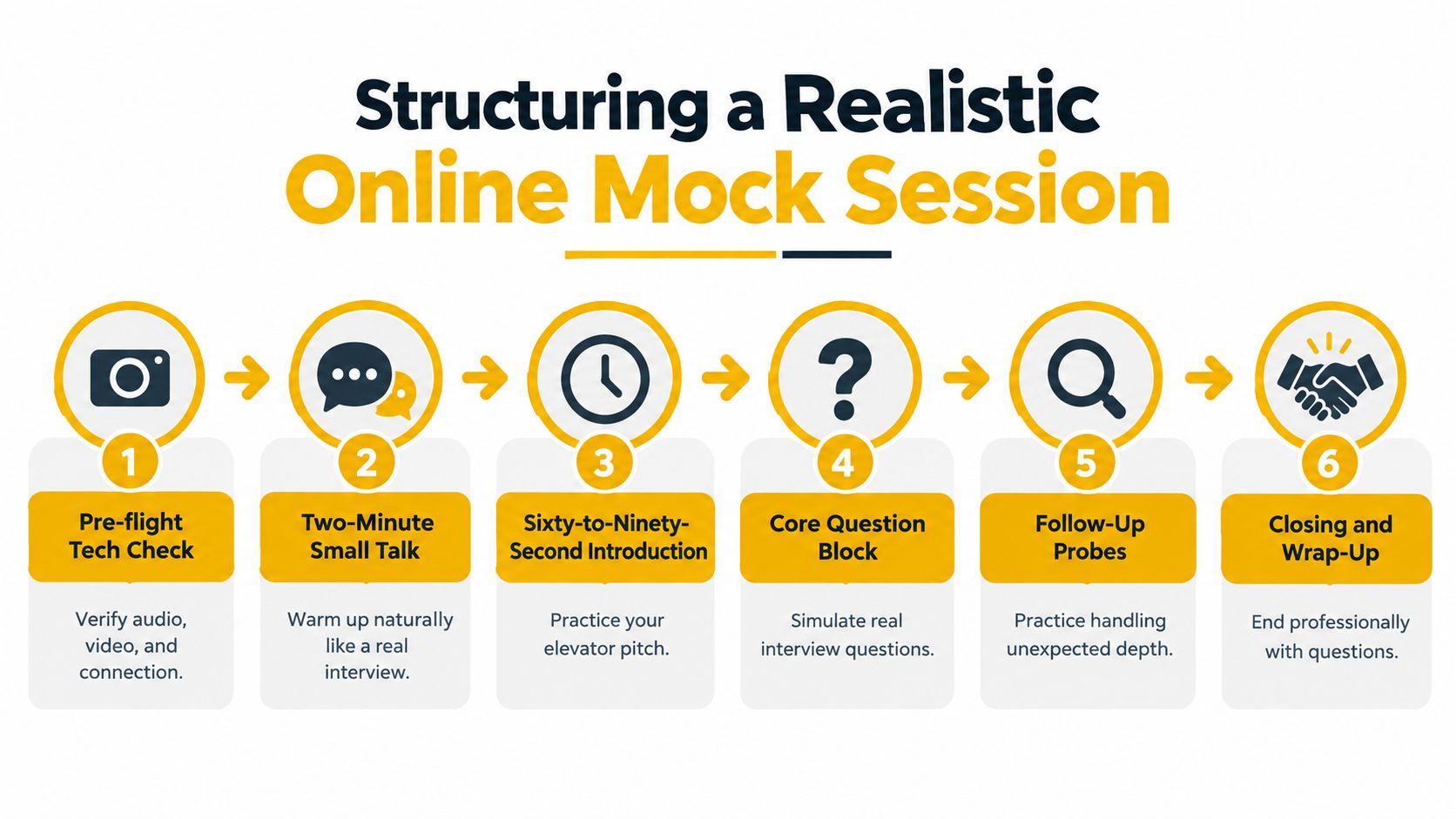
A realistic session needs a beginning, middle, and end. Don't jump straight into a difficult question while your device is still settling or your voice is cold. Use the same sequence each time, then vary the questions so you rehearse skills rather than memorize a script.
A session sequence that feels like an interview
- Pre-flight check: Confirm your audio, video, connection, and chosen platform.
- Small talk: Spend a couple of minutes warming up naturally. This helps you settle without pretending the interview starts at full intensity.
- Introduction: Deliver a concise elevator pitch, then stop. Practice finishing cleanly rather than continuing until you've covered your whole résumé.
- Core questions: Work through prompts tied to your practice goals. Keep the question set consistent when you're comparing performance across sessions.
- Follow-ups: Ask for a specific decision, alternative, assumption, or result. Follow-ups show whether you can explain the thinking behind an answer, not just its headline.
- Recovery and close: Introduce a controlled disruption or challenging prompt, recover, then end with a thoughtful question for the interviewer.
Role and format should shape the core block. An investment-banking practice might examine a modeling assumption and its effect on a recommendation. A product-sense prompt might ask you to identify a user problem and prioritize a response. A system-design question can test how you explain constraints and trade-offs, while a data case can explore how you interpret evidence and communicate a conclusion.
AI mock modes can help enforce timing, present prompts consistently, and supply follow-ups. Use them as structured interviewers, not answer writers: think through the question yourself, and review your own recording afterward so you can hear pacing, pauses, and clarity. Keep some silence between prompt and response. Real interviewers don't always fill the pause, and learning to use that moment can help you avoid rushing into an unfocused answer.
Technical Setup as a Scored Skill
A video problem can interfere with a good answer, so assess technical reliability separately from communication. Test the device and the actual browser or desktop client you plan to use. Check your microphone, headphones, lighting, camera framing, background, network stability, and any screen-sharing function the interview may require.
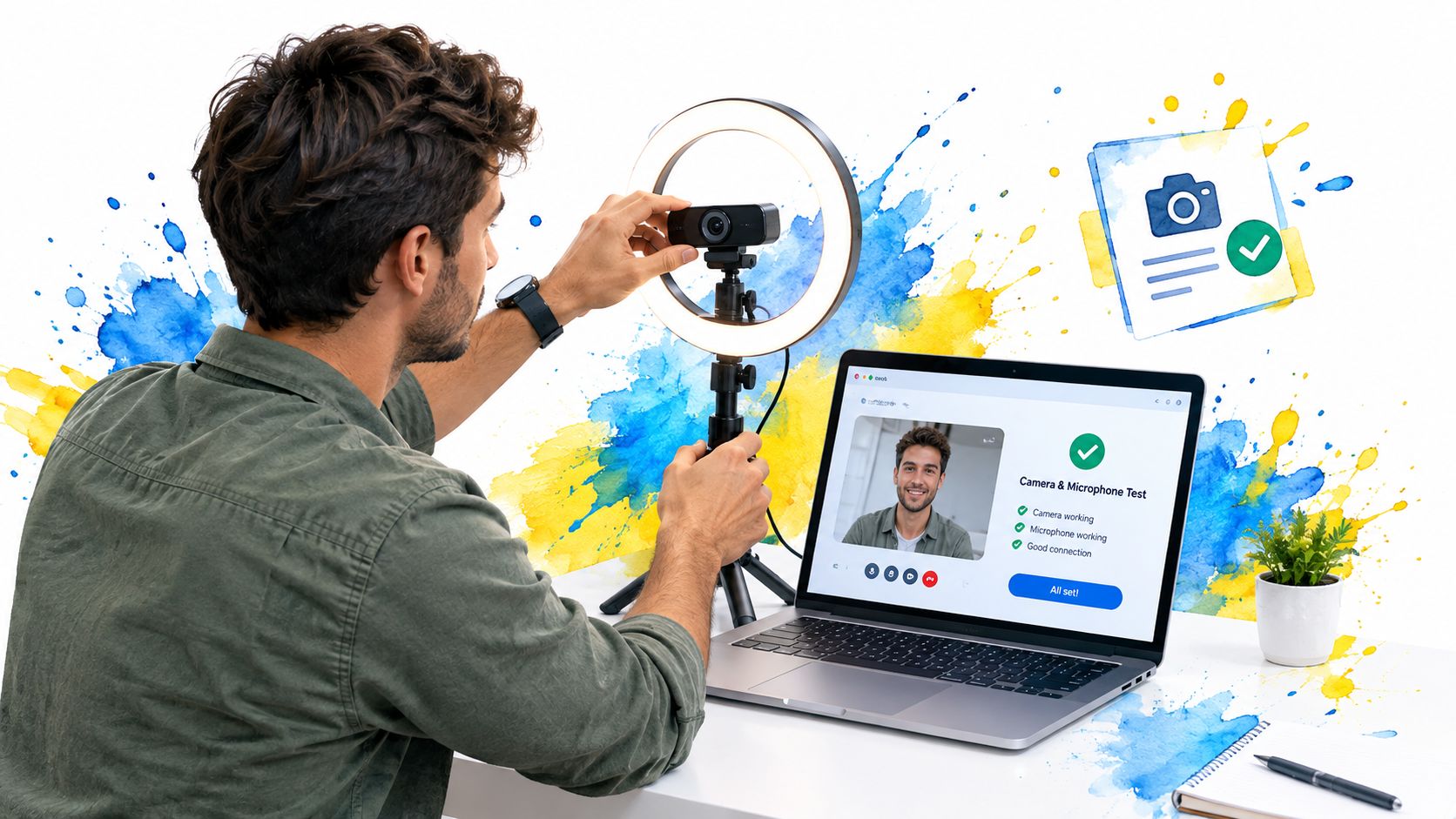
Video isn't an unusual edge case: a survey summary reports that 63% of HR managers at U.S. companies with at least 20 employees said their organizations often conducted interviews by video, while compiled survey data report that 62% of candidates experienced a technical problem such as poor connection, frozen video, or audio failure (survey summary). Treat rehearsal of the setup as part of preparation, not last-minute housekeeping.
Run a technical simulation
Join early enough to check the room and equipment without rushing. Deliver your introduction while looking toward the camera, then test a deliberate interruption: pause, reconnect, or switch to your backup contact method. A phone hotspot and a written alternative contact plan give you options if your main connection fails.
Avoid common preventable problems. Testing a microphone alone won't reveal echo or delay; a camera below eye level can make your framing distracting; and a last-minute software update can disrupt an otherwise stable setup. If audio overlaps, pause and let the other person finish rather than trying to force your way through.
A virtual interview setup guide can serve as a reminder of the practical details to rehearse. In your session notes, log connection issues, audio failures, and framing separately from answer scores. That distinction helps you fix the equipment without changing a speaking style that was already working.
Feedback That Actually Changes Your Answers
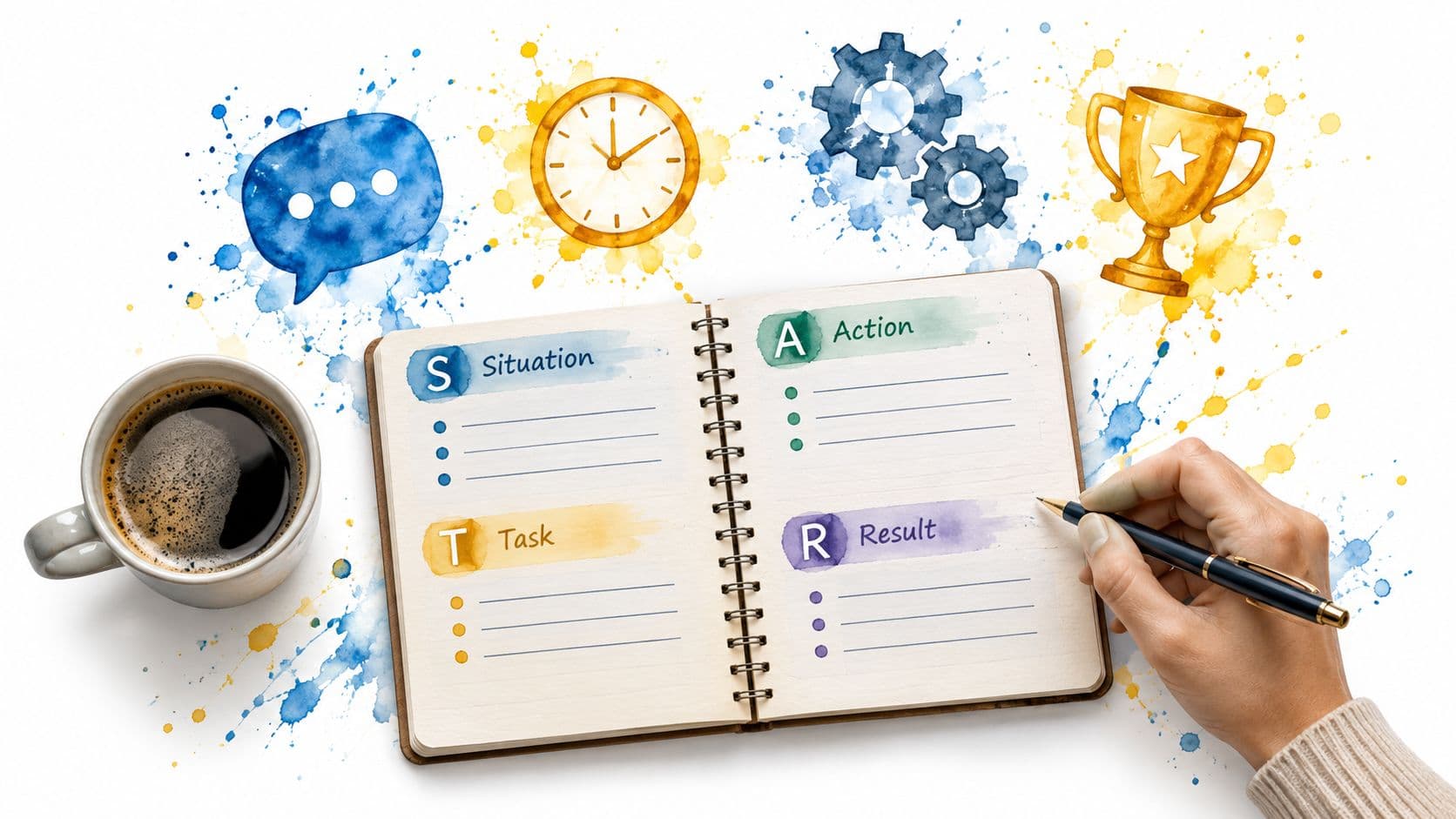
Feedback only helps when it identifies a behavior you can repeat or change. A general comment such as “be more confident” doesn't tell you what to do. A useful rubric might score evidence, ownership, technical reasoning, outcome, and communication on a consistent scale, with a short note explaining each rating. For behavioral answers, check whether the example shows the situation, your responsibility, the actions you took, and the result.
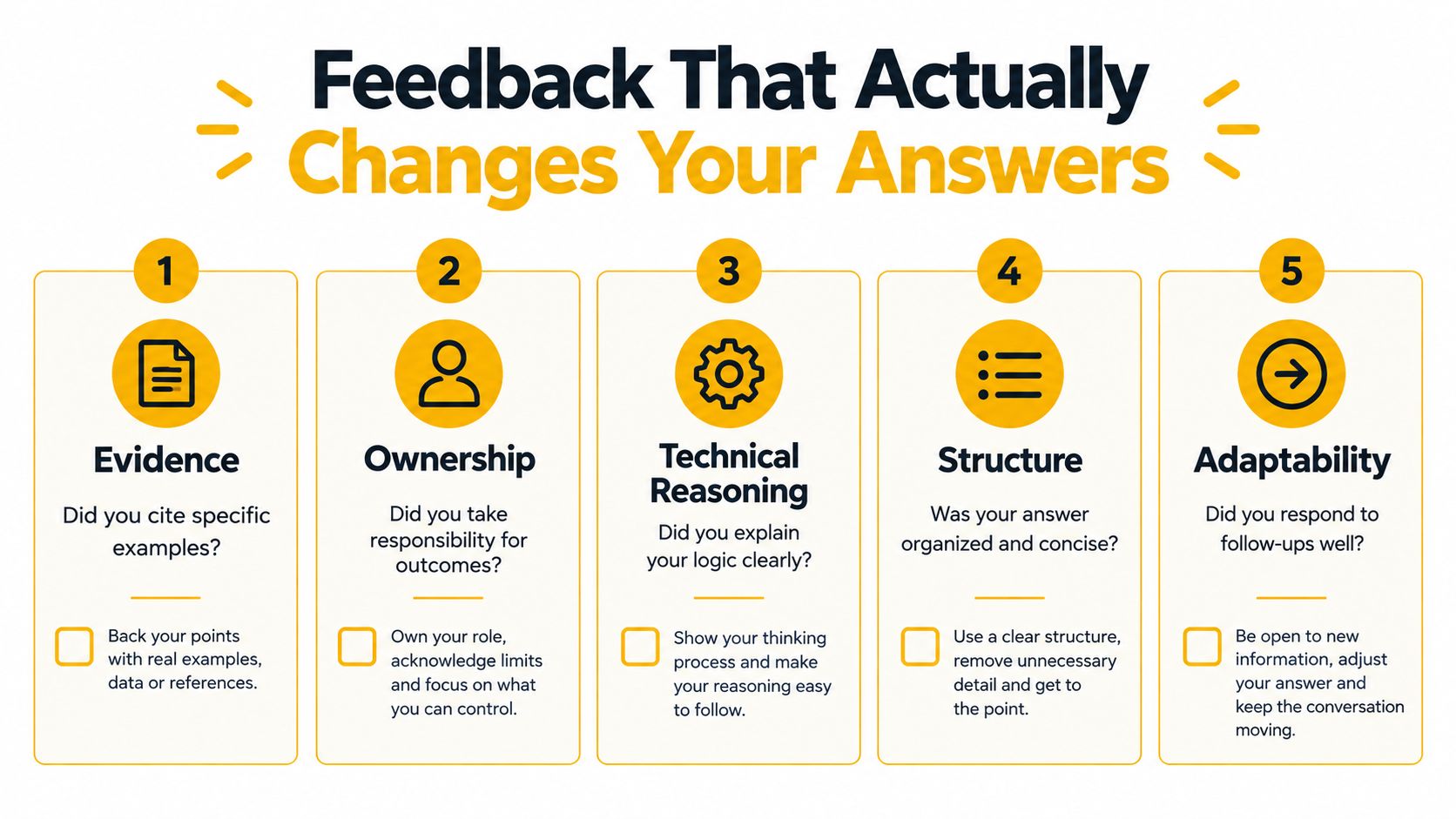
Review your recording soon after the mock, while you remember what you were trying to communicate. Return to it later with fresh attention and look for repeated patterns: answers that take too long to reach the point, claims without examples, or conclusions that don't explain the decision. Pick a small number of changes for the next session rather than rewriting every response.
Feedback quality matters. A study of collaborative mock-interview assignments found that 11% of participants considered the feedback unhelpful (study on mock-interview assignments). That's a reminder to ask whether feedback is specific, relevant to the role, and clear enough to act on. For practical examples of structured behavioral responses, use these STAR interview answer examples as a reference, then shape them around your own experience.
Calibrate AI feedback
Automated feedback can flag unclear structure or a missing example, but it can also encourage a narrow idea of what a strong answer should sound like. Research on AI recruitment systems describes risks from similarity and stereotype bias, and separate selection research found that participants followed severely biased AI recommendations about 90% of the time (research on AI recruitment bias). A polished score isn't proof that the advice is fair or job-relevant.
Before adopting a suggestion, ask:
- Is the criterion job-related? Clear reasoning and accurate evidence can matter; imitating a particular accent or manner of eye contact may not.
- Does the feedback hold across answers? Compare its comments on different examples and communication styles.
- Can you explain the change? Use a recommendation when you understand the behavior it improves, not just because a score asks for it.
Treat automated scores as prompts for reflection, not as objective hiring truth.
A Fourteen Day Mock Interview Improvement Loop
A practice schedule only works if each session informs the next one. Start by choosing your goals and format, then alternate focused solo practice with sessions that expose your answers to another listener. Use the results to adjust difficulty, rather than repeating questions you've already mastered.
A two-week practice sequence
- Day one: Choose the target role, interview format, practice goals, and platform.
- Days two to four: Run three short solo or AI-assisted mocks, each focused on a different competency.
- Day five: Complete a full mock with a human partner and record it.
- Days six and seven: Review the rubric and revise your weakest answers.
- Days eight to ten: Run two more AI-assisted mocks with harder prompts and follow-ups.
- Day eleven: Complete another human mock with a different question set.
- Days twelve and thirteen: Drill the most important weaknesses revealed by your reviews.
- Day fourteen: Run a final dress rehearsal that mirrors the actual format, pacing, and setup.
Retire questions once you can answer them clearly and handle a follow-up without relying on memorized wording. Keep questions that reveal gaps, but raise their difficulty or change the constraints. A mastered prompt should make room for new practice, not become a script you recite.
You're ready when your answers are consistently clear, your key examples support the skills the role needs, and the setup no longer surprises you. Perfection isn't the standard. Look for reliable answer patterns and a clear next step when a question takes you somewhere unexpected.
Before the interview: confirm the target competencies, test the platform and backup plan, review your strongest examples, and choose one improvement to keep in mind. Mock practice compounds when you carry that lesson into the next session.
Interview Pilot offers guided mock interview practice, role-specific questions, and live suggested-answer support for online interviews. Use its practice tools to rehearse with structured prompts, then visit Interview Pilot to explore how it can fit into your preparation.
Topics
mock interview online
interview practice
AI mock interview
remote interview prep
interview feedback
Continue reading

Interviews
Mock Interview Meaning: A Practical Guide to Rehearsing
Learn the mock interview meaning, how simulated interviews build confidence, the main types, and how to practice effectively before your next real interview.
September 29, 2026
16 min read
Interviews
10 Behavioral Questions for Interviews: STAR Answer Guide
Master behavioral questions for interviews with 10 STAR-based examples, sample answers, role-level variations, and practice prompts for every career stage.
October 17, 2026
19 min read

Interviews
Top 10 Technical Engineering Interview Questions in 2026
Explore 10 technical engineering interview questions across coding, SQL, systems, and ML, with difficulty levels, answer guidance, and mock practice tips.
October 14, 2026
24 min read