













Interviews
One Way Video Interview: What Candidates Should Expect
One way video interview explained: how it works, why employers use it, and how to prepare and check privacy before you record in 2026.
Interview Pilot Editorial Team
Updated November 14, 2026
16 min read
At 9:04 on a Tuesday morning, an email arrives with a link, a deadline of Friday at 11:59 p.m., five questions, and a short note about preparation time and a response limit. No interviewer's name. No time slot. No phone number to call. You click the link and a screen tells you the camera is about to start.
That single email is now a common first round in hiring, and it asks for something a phone screen never did: a performance delivered to a lens, on your own, against a clock. The format is worth understanding before you press record, including the parts most preparation advice skips, such as who watches the file, how long it's kept, and what to do if the setup doesn't work for you.
What a One-Way Video Interview Is
The email is the entire interview. An employer loads a set of fixed questions into a platform, sends you a link, and you record answers alone inside a window that usually spans several days. Nobody is on the other end of the call. Recruiters review the recordings later, often in one sitting, instead of scheduling a simultaneous conversation. The formal name is an asynchronous video interview, or AVI, and "asynchronous" is the defining word: you and the reviewer are never in the same moment.
A one way video interview makes more sense next to the live version. A live video call is a conversation over coffee, where you say something, the other person reacts, and you adjust. A one-way interview is a recorded audition tape sent to a casting panel that will watch a stack of tapes together next week. The panel compares them using identical prompts, which is exactly the point. What you lose is the reaction. What you gain is control over the hour and advance knowledge of what's coming.
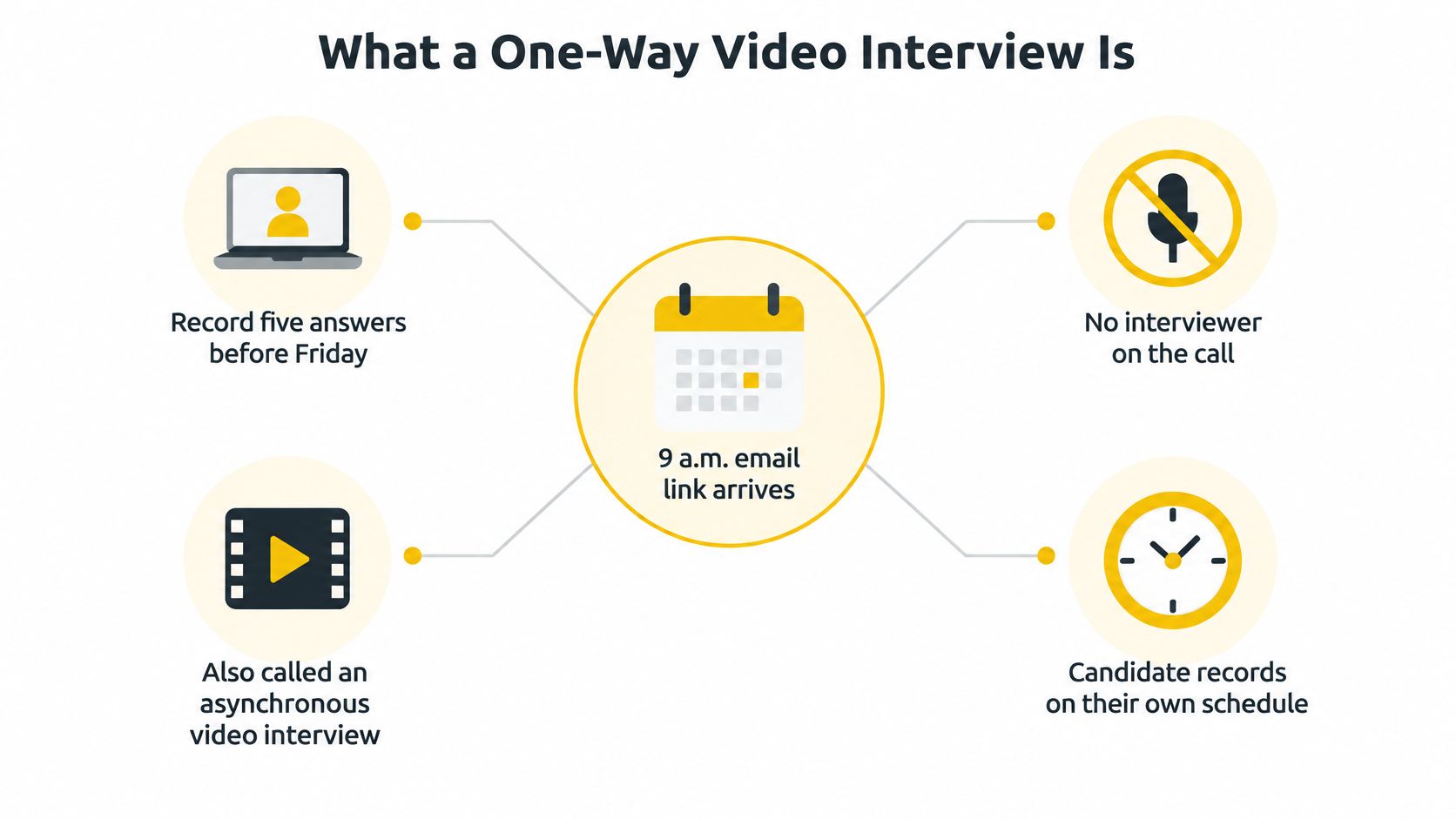
Three differences shape how you should prepare. No real-time clarification: if a question is ambiguous, you have to interpret it out loud and keep moving. No human follow-up: the reviewer can't ask what you meant, so a half-finished story stays half-finished. No scheduling: nothing has to be coordinated across time zones, which is why distributed teams lean on the format so heavily.
What appears on your screen, in order
The sequence is short and predictable. Question text appears, sometimes with a short pre-recorded clip of the hiring manager reading it aloud. A preparation countdown runs while you think or jot notes. The recording indicator comes on. A response timer counts down, and when it reaches zero the answer uploads whether or not you finished the sentence.
Employers use it most where they screen in volume: graduate schemes and internships, sales and customer service roles, high-turnover operations hiring, and any first round that would otherwise mean twenty separate calls. You can identify the format from the invitation alone. Look for a link instead of a calendar invite, a fixed deadline, a stated number of questions, and the preparation and response limits spelled out before you begin.
The Candidate Journey From Invitation to Decision
Six stages sit between the email and the hiring decision, and each one has an action attached. Scan the table once before you open the link, then work through it in order.
| Stage | What Happens | What You Can Do |
|---|---|---|
| Invitation | Email with link, deadline and number of questions | Note the deadline and read the instructions |
| Tech check | Webcam, microphone, lighting and connection are tested | Run a test recording in the same room and device you will use |
| Preparation window | Question text is shown with a countdown | Write a three-point outline, not a full script |
| Timed recording | Answer is captured within a response limit | Speak to the point and watch the time |
| Review or retake | Retake rules vary by employer; no standard limit applies | Read the retake policy before you start |
| Employer review | Recruiters score recordings later, often in a separate round | Save the confirmation email and any submission receipt |
The invitation stage is where you set your buffer. If the deadline is Friday night, plan to record by Wednesday, because a failed upload on the last evening leaves almost no room to recover. The tech check is the stage people skip and then regret: the browser that works fine on your phone may not be the one the platform supports, and a laptop at chest height makes you look down for every answer.
Preparation and recording are where the format stops being passive. In the preparation window you're building structure, not prose. During the timed answer, review the outline, not the clock, until the last thirty seconds.
When something breaks mid-recording
Platforms fail, uploads stall, and links expire. If that happens, email the recruiter the same day with the time of the failure and a screenshot of the error, and ask for a new link or an alternative format. Silence reads as disinterest; a timestamped message reads as a technical problem.
Keep the receipt: the confirmation email and any submission reference are your only proof of completion if a recording is later disputed or lost.
If you miss the deadline, ask about an extension before the window closes rather than after it. And if the invitation arrives with no link, no stated deadline or no question count, reply and ask before you block out time for it.
Why Employers Use Recorded Interviews
Three reasons drive adoption, and they're worth knowing because they explain what the format is designed to measure.
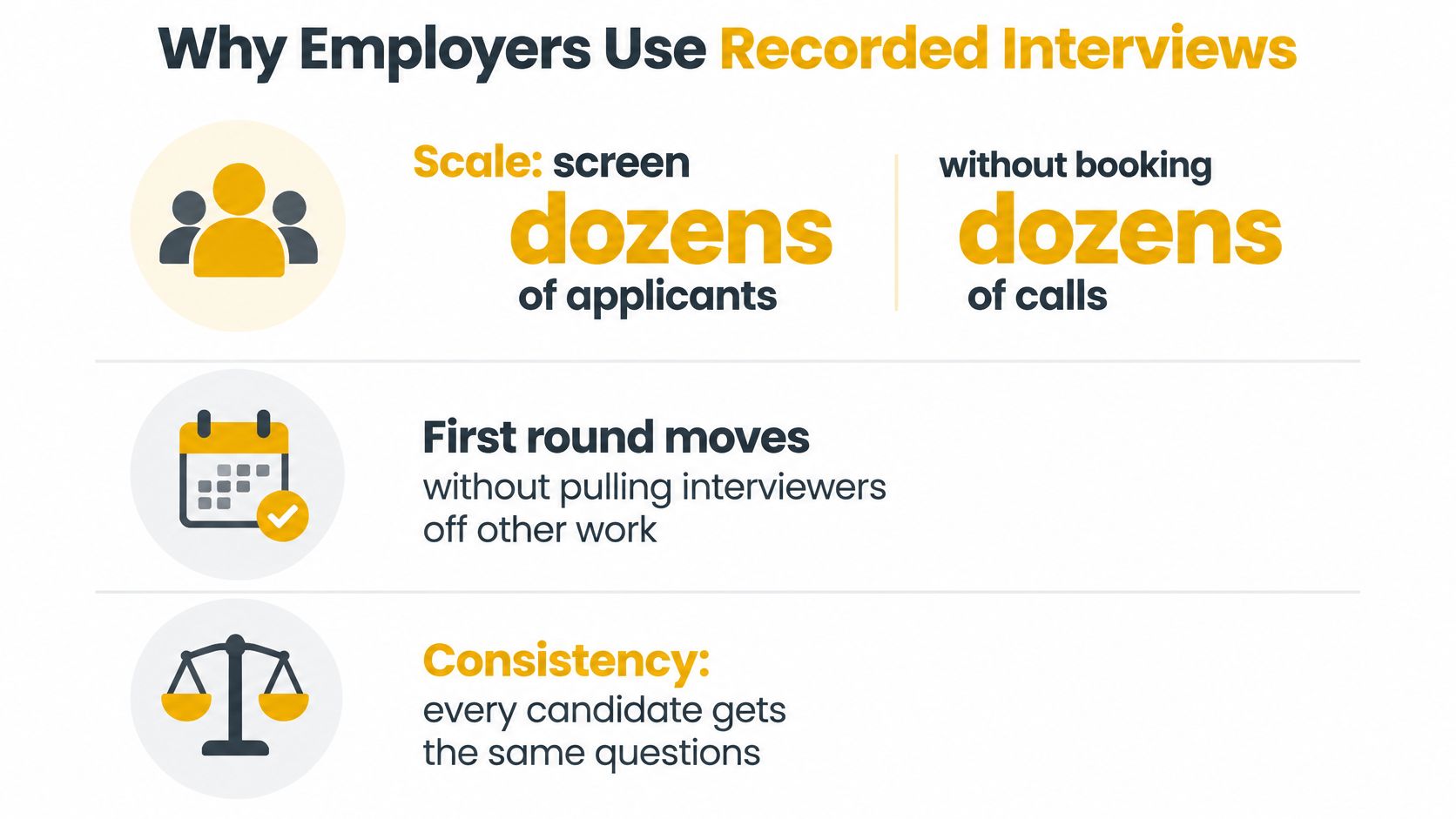
Scale. One recruiter can review dozens of recorded answers without booking dozens of calls. The first round moves while interviewers stay on their other work. Scheduling. Candidates record when they can, which removes the time-zone and shift-work puzzle that makes live first rounds slow. Comparability. Every applicant gets identical prompts, so answers can be scored side by side using one rubric.
The market data backs up how quickly this went mainstream. An Indeed survey of more than 1,100 U.S. employers in 2021 found that 82% had adopted virtual interviews because of the pandemic, 93% planned to keep using them, and 74% of organizations using virtual interviews said the approach made hiring faster. Those figures cover live and asynchronous formats together, so treat them as the conditions that accelerated recorded screening rather than a count of one-way use alone. The same reporting cites Gartner research from 2022 finding that 61% of recruiting and HR technology leaders globally said their organizations were using one-way video-interview technology.
Money confirms the trend. Contrive Datum Insights puts one-way asynchronous interviews at 58% of the global video-interview software market in 2025, equal to roughly $281 million. Employers are buying this category, not experimenting with it.
Structure is also what makes the process defensible rather than merely fast, which is why hiring teams that care about consistency work from guidance on how to run defensible job interviews. One caveat for candidates: widespread adoption doesn't mean the format is popular. Most employers use it as a first-round screen, not a final decision, so it filters far more often than it selects.
How Fixed Questions and Timers Shape Your Score
Identical questions, identical order, identical preparation window, identical response limit. That consistency exists to remove interviewer-driven variance, the drift that happens when one candidate gets a helpful follow-up question and another gets a rushed one. Every answer lands against a predefined competency rubric, which is why the format rewards evidence rather than charm.
How much structure matters is measurable. Research on interview structure published in the International Journal of Selection and Assessment reports corrected validity coefficients ranging from about 0.49 for weakly structured interviews to 0.63 for moderately structured interviews, with other meta-analytic estimates reaching roughly 0.70 for the most highly structured formats. A standardized recording is built to sit near the top of that range.
Why preparation time changes your rating
The countdown before you speak isn't a comfort feature. Experimental work on preparation time in asynchronous video interviews found that extra time improves interview-performance ratings mainly because candidates actively prepare: they make notes, organize evidence and structure responses before recording. The gain wasn't explained by lower strain or by more impression management, which suggests the minutes change the substance of the answer itself.
That creates a real trade-off. Short response windows reward spontaneity but penalize anyone who needs a moment to formulate a thought. Longer windows improve clarity but can encourage delivery that sounds rehearsed.
What the score rewards: a specific example, a clear action you took, and a result you can name. Structure beats polish every time.
The practical answer is a repeatable outline you can fill in fast under a countdown. If you want to see how that fits alongside other formats an employer might combine with this one, this guide to interview and assessment formats covers the wider sequence.
Why Recorded Interviews Can Feel Impersonal
A 2017 German experiment, summarized in Mark Studios' research roundup on recruitment video, compared recorded interviews with live video interviews and measured the discomfort candidates often describe. Participants in the recorded condition rated two-way communication substantially lower, with an effect size of d = -1.13, and rated interpersonal treatment lower, with d = -1.98. They also found the process creepier, at d = 0.61, and reported somewhat greater privacy concerns, at d = 0.34.
Those are standardized effect sizes, not percentages. Values near or above 0.8 count as large, so the drop in felt human contact was substantial while the privacy gap was modest. The cause is structural rather than personal. You answer fixed prompts without getting a nod, a laugh, or a "say more about that," and a silent camera works like an audience that never reacts: the absence of feedback feels like a verdict even when it's just software.
Treat this as one experiment rather than a law about every employer. More recent research tends to point the same direction, with applicants often reacting less favorably to automated recorded interviews than to live ones, though much of that evidence comes from simulated conditions rather than real hiring pipelines. The honest summary is that the format buys flexibility and consistency at a cost in warmth, and design choices like clear instructions, short questions and explicit disclosure of human review reduce that cost. Those choices are worth asking about before you record.
One habit that closes the gap
Speak to the lens as if you're answering one specific person, because a reviewer will watch you one on one later. Use that person's likely question as your frame: what would they need to hear to trust this answer? If a prompt is unclear, state your interpretation out loud in one sentence and then answer it. You sound thoughtful rather than evasive, and the reviewer isn't left guessing which question you thought you were answering.
Answering Clearly Under Time Limits Without Sounding Scripted
Two things get judged in a timed answer, and they aren't the same: what you say, and how quickly you say it. The first carries the signal. The second is mostly noise, but under a visible countdown it's easy to confuse fluency with competence, particularly if you're speaking in a second language or need a beat to think.

Standardization helps, and it doesn't erase every gap. In a study involving 626 mock-interview participants and 523 real applicants, standardized evaluation reduced sex-based differences but not differences associated with other applicant characteristics, as reported in Indeed's guidance on one-way video interviews. Identical prompts and identical timers don't automatically produce identical opportunity. If you need more processing time, or a speech difference makes a hard limit costly, asking for an adjustment before you record is a normal request, not a confession of weakness.
Build a three-part answer, not a script
A script breaks the moment a question shifts by two words, and it reads as flat on camera. An outline flexes.
- Situation, one sentence: name the context and your role in it, with no backstory about the company's history.
- Action, two or three points: what you decided, what you did first, what you changed when it didn't work. The rubric scores you here.
- Result, with a number if you have one: a percentage, a timeline, a count, or a plain statement of what stopped going wrong.
Write those three lines in the preparation window and glance at them, not at your own face on screen.
Rehearse once, out loud, with a timer
Reading your outline doesn't test it. Speaking it does.
- Answer one question aloud using only the three-line outline, and time it.
- Cut filler such as "kind of," "basically" and the long runway before your actual point.
- Record once on your phone, watch it back with the sound off to check framing, then with sound to check pace.
- Stop after one pass. Extra takes chasing a flawless delivery make the answer sound performed.
For a deeper method on shaping the middle section of an answer, this breakdown of how to structure interview answers walks through the same three parts with worked examples.
Privacy and Fairness Questions to Ask Before You Record
A one-way recording works like a standardized exam: fixed prompts, fixed timing, and a result produced under rules you should be able to inspect. The difference is that the exam captures your face, voice, accent, room, and whatever a reviewer infers from them. Research on asynchronous hiring notes that recordings expose demographic and audio cues, including race, ethnicity and non-native accents, that may affect selection decisions, as set out in this study of applicant reactions to asynchronous video interviews. Answer quality is one variable; process rules are another.
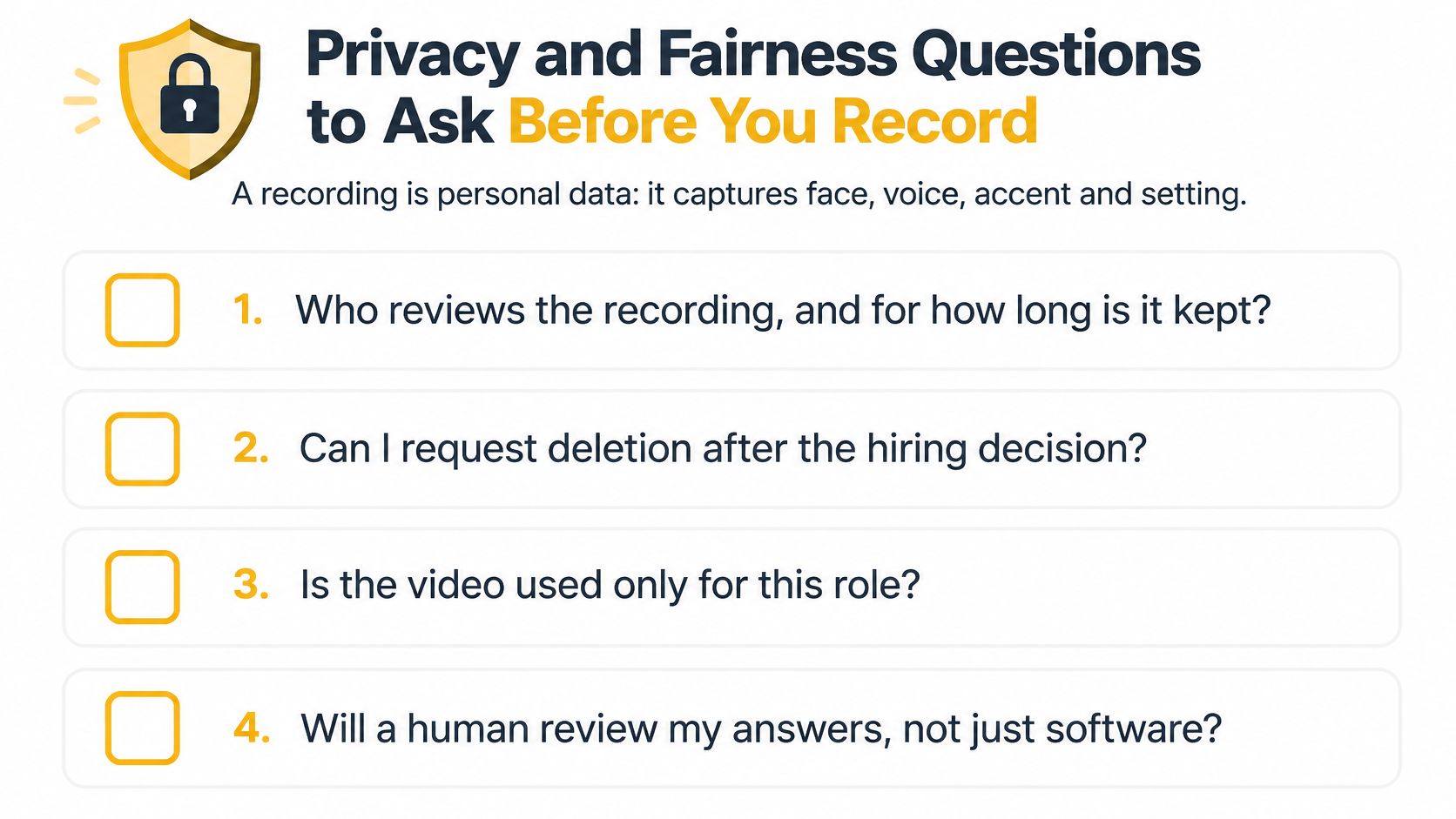
Send one short email before you submit. Reasonable employers answer without friction, and vague answers are information too.
- Who reviews the recording, and does a person watch it before any decision is made?
- How long is it stored, and where?
- Is any automated analysis or scoring applied, and what does it assess?
- Are retakes logged, and how are they shown to reviewers?
- What accommodations are available for disability, unreliable internet, or a lack of private space?
- Can a live or text-based alternative be requested, and by when?
- After the decision, can I request deletion, who controls the file, and will you confirm in writing once it has been removed?
What happens if you decline or abandon it
Ask how a declined invitation, an abandoned recording, or a platform failure is recorded in your file. A failed upload should be treated as a technical event, yet some processes may still read an incomplete submission as a signal about interest or reliability. Get the rule in advance so a bad connection does not masquerade as a choice.
Completing the interview and protecting your data are not opposing goals. A short, polite email costs ten minutes and can reveal a process you would rather not join.
A polished answer cannot fix a process you never agreed to. When the role is one of several you are pursuing, clear review, storage, accommodation and deletion rules can matter as much as a well-prepared answer.
Decide Whether to Record and Prepare Your Setup
Start with the decision, not the lighting. Proceed when the employer has answered your questions about review, storage and human oversight, and when the deadline and format are workable for you. Request a live or text-based alternative when the platform, the timing, or an accommodation need makes the recording impractical. Declining is a legitimate choice, and declining without asking first is the version that costs you the role.
Once you're in, work through the setup in this order.
- Confirm the deadline and the question count. Every later decision depends on these two numbers.
- Test on the exact device and browser you'll use on the day, and run a two-minute test with a second device so you can see what the interviewer sees.
- Put the light in front of you. A window or lamp behind your screen turns you into a silhouette; the same lamp behind the camera makes your face readable.
- Choose a quiet room with a plain wall, and silence notifications on every device in the room.
- Close bandwidth-heavy apps so the upload doesn't stall at the worst moment.
- Keep a three-line outline card beside the lens, not below the screen, so your eyes stay level.
- Do one timed rehearsal using the method above before deadline day, ideally 48 hours out.
- Save the confirmation email and any receipt the moment you submit, since that's your only record of completion.
Preparation changes the quality of what you say more than any amount of polish changes how you look saying it. A three-part outline built in the preparation window gives a reviewer something concrete to score, and a candidate who has already checked the process can stop worrying about the mechanics and pay attention to the actual question.
For the wider sequence of steps that gets you to the interview in the first place, this interview preparation checklist covers what to sort out in the days before.
If you want reps before recording, Interview Pilot runs AI mock interviews that record your answer and return a delivery score alongside feedback on content, plus a searchable question bank across technical and non-technical roles. It's available on macOS, Windows, iOS and Android, and it's free to get. Visit Interview Pilot to run a timed practice session before your deadline arrives.


Topics
one-way interview
asynchronous interview
recorded interview
video interview tips
interview preparation
Continue reading
Interviews
8 Zoom Interview Tips for Looking Confident on Camera
Discover 8 practical Zoom interview tips on setup, lighting, audio, eye contact, screen sharing, and mock practice to sound confident on camera.
November 14, 2026
20 min read
Interviews
English Interview Practice: A Weekly Plan That Works
Learn how to do English interview practice with a weekly plan, a scoring rubric and mock drills that build fluency and clear answers.
November 14, 2026
16 min read
Interviews
Follow Up Questions After Interview: 8 That Impress
The best follow up questions after interview rounds, with timing, phrasing tips and real examples to help you close strong and stand out.
November 13, 2026
16 min read