









Interviews
How to Prepare for a Presentation Interview
Turn an interview presentation brief into a clear argument, realistic timing plan, and tested delivery with examples and a practical rehearsal checklist.
Interview Pilot Editorial Team
4 min read

Start by clarifying the brief, decide what the audience should understand or decide, and build a presentation that fits the allotted time. Then rehearse aloud with the actual file and prepare to explain your assumptions. Attractive slides cannot compensate for answering the wrong question.
jobs.ac.uk's presentation-interview guidance emphasizes preparation and demonstrating communication skills. The worked structure below is an illustrative approach, not a universal format employers require.
Confirm the constraints before making slides
Check the topic, audience, expected length, whether questions are included in that time, and submission requirements. Ask about file format or equipment if the instructions leave them unclear.
Also establish the permitted scope. Are you analyzing supplied information, discussing your own work, or proposing an approach? Check rules on tools and assistance. Do not include confidential material from another employer, even if it makes the presentation more impressive.
If a brief seems to request substantial real business work without a clear time boundary, ask what level of preparation is expected. You can clarify the scope without assuming bad intent.
Build one argument
Write a one-sentence answer to the brief before opening slide software. For example, in a fictional operations exercise:
I recommend piloting a shared handoff checklist on one shift before changing the process across all locations.
Then identify what the audience needs to evaluate that recommendation: the problem, evidence, alternatives, trade-offs, implementation, and how you would judge the pilot.
Do not fill the presentation with company history simply because it is easy to research. Use context only where it changes the recommendation.
A worked ten-minute structure
Assume the employer has allotted ten minutes for the presentation and separate time for questions. This sample plan totals ten minutes; leave some flexibility within each section rather than speaking until an automatic cutoff.
| Section | Time | What it accomplishes |
|---|---|---|
| Recommendation and problem | 1 minute | States the proposed pilot and the handoff issue |
| Evidence and assumptions | 2 minutes | Explains supplied observations and what is not yet known |
| Alternatives and trade-offs | 2 minutes | Compares a checklist, a tool change, and keeping the process unchanged |
| Pilot plan | 3 minutes | Covers owner, scope, training, and feedback collection |
| Evaluation and close | 2 minutes | Defines what to measure, risks, and the next decision |
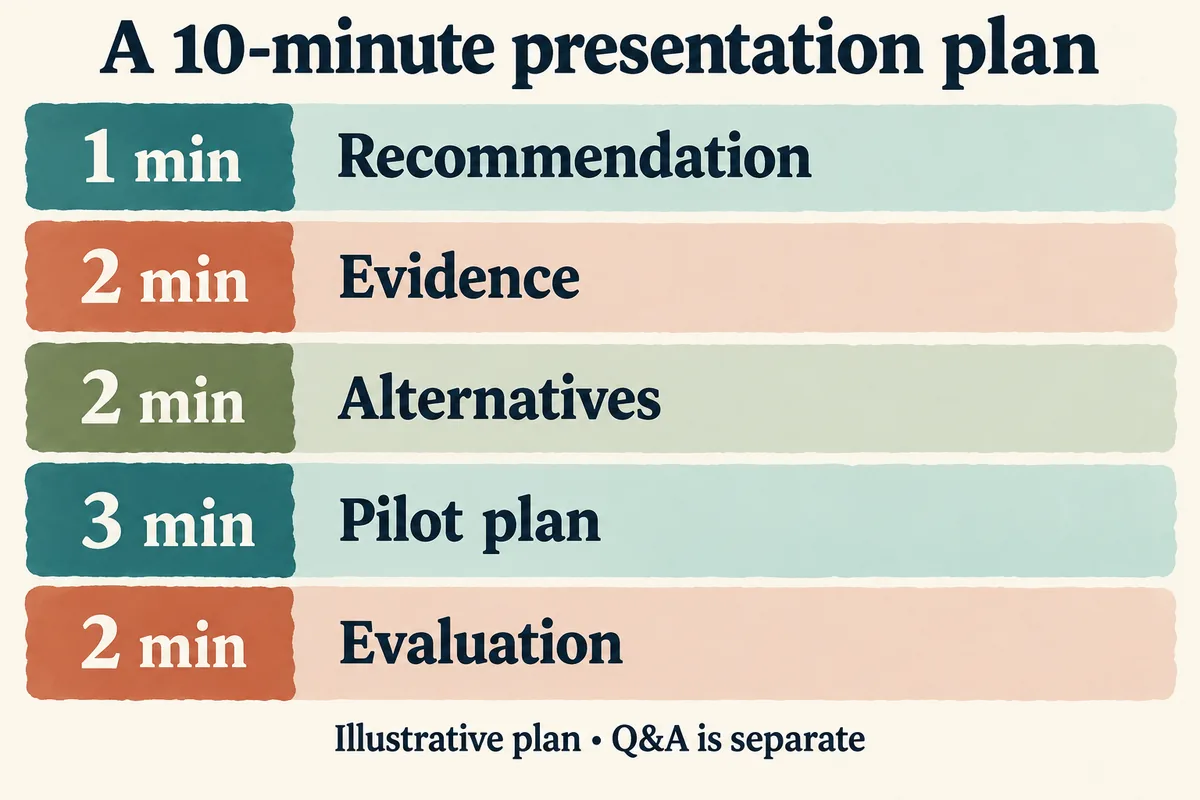
A visual recap of this example, not a required presentation formula. The brief determines your allocation.
Slide count should follow the explanation, not an arbitrary one-slide-per-minute rule. A diagram may need a longer explanation; a title slide may need almost none.
Label invented assumptions explicitly. If the exercise supplies no cost data, do not create a convincing-looking chart with fictional savings presented as fact. Say what information you would need and how it could change the recommendation.
Make slides support the speaker
Use a readable title that conveys the point of each slide. "Pilot on one shift before expanding" is more informative than "Implementation." Keep essential evidence visible and move background detail to an appendix if allowed.
For a process diagram, include only the steps the audience needs to understand the decision. Explain colors or labels in words; do not make color the only way to distinguish options. Check the deck at the size people will actually see on a shared screen.
Source external facts on the relevant slide and keep a source list you can consult. A small citation is not permission to use an unreliable number.
Rehearse the transitions and questions
Run the complete presentation aloud. Time it, including slide changes. If it is too long, remove secondary material instead of speaking faster. Practice moving from evidence to recommendation so it sounds like one argument rather than separate slide summaries.
Ask yourself:
- Why this option rather than the strongest alternative?
- Which assumption matters most?
- What would make you stop or change the pilot?
- What did you personally do, if you are presenting past work?
- What remains uncertain?
If you do not know an answer, explain the limitation and how you would investigate it. Our guide to answering unfamiliar questions covers that without encouraging bluffing.
Test delivery and prepare a simple backup
Open the exact submitted file on the device you will use. Check fonts, links, embedded media, and presenter notes. Keep a permitted PDF copy if it preserves the necessary content. If presenting remotely, test screen sharing and notifications using the video-interview setup guide.
Prepare a short verbal summary of the argument in case slides fail. That is not a substitute for fixing your setup; it gives you a way to continue while agreeing on a practical solution with the interviewer.
On the day, follow the brief and the room's instructions. Finish with your recommendation and the decision it supports, then pause for questions rather than adding an unplanned second conclusion.
Topics
presentation interviews
interview preparation
Continue reading

Interviews
10 Questions for an Executive Interview: A Practical Guide
Use these questions for an executive interview to assess judgment, leadership, strategic thinking, culture fit, and results—plus practical follow-ups.
October 18, 2026
21 min read

Interviews
10 Common Job Interview Questions and Answers for 2026
Prepare with 10 common job interview questions and answers, including model responses for different experience levels and job types, plus formatting tips.
October 17, 2026
20 min read

Interviews
10 Interview Questions You Can Ask: Stage-by-Stage Guide
Discover 10 interview questions you can ask by stage and role, with rationale, examples, and tips for different company types to show genuine interest.
October 16, 2026
18 min read